For Existing user, Admin Dashboard page will be displayed after Login and for New User need to Setup Company details and Wizard setting First.
There are 6 different block on admin dash board they are as listed below with some summary.
(1) Strength (total number of employee register with that company)
(2) At Work (total number of employee that are working at that particular time)
(3) Birthday (it shows total employee who has birthday on that particular date)
(4) Late In (employee that has arrived late on that particular day)
(5) Early out (employee that has departure early on that particular day)
(6) Device (total number of device register with that account)
For brief detail on each block you can click on them to see its details.
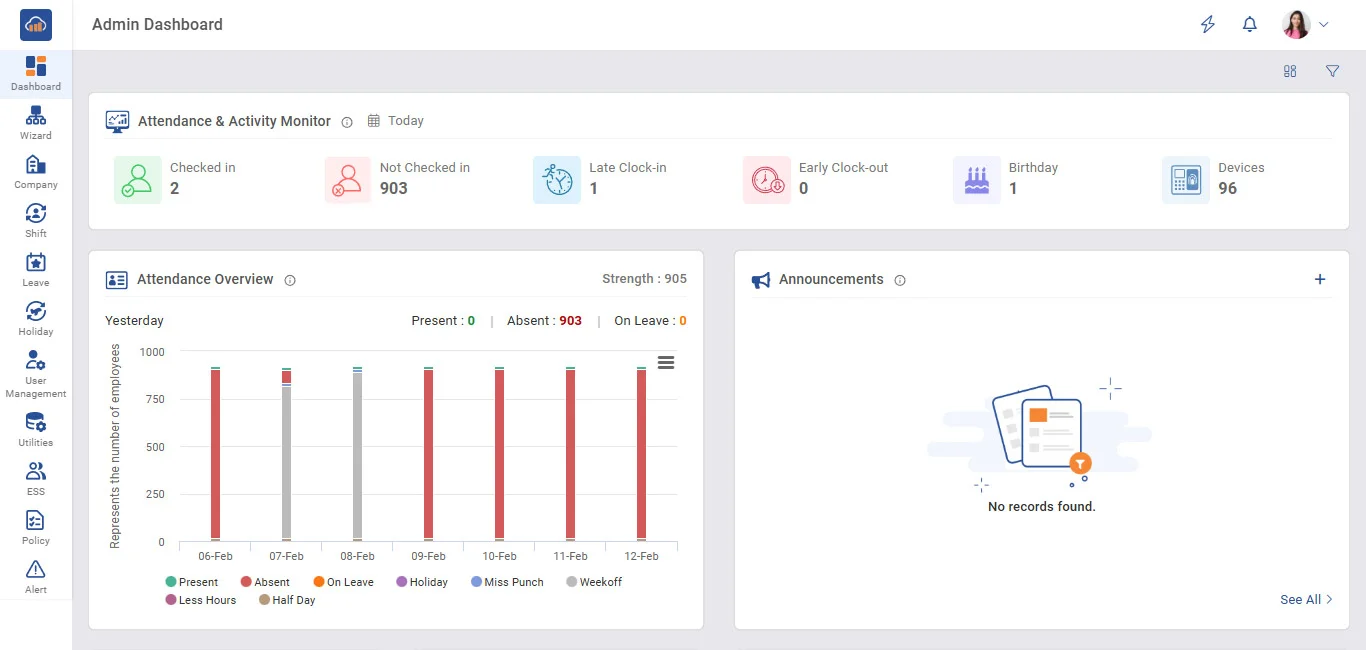
Above image is for admin dashboard general Summary will be show in convenient way that can be analyzed of current company status