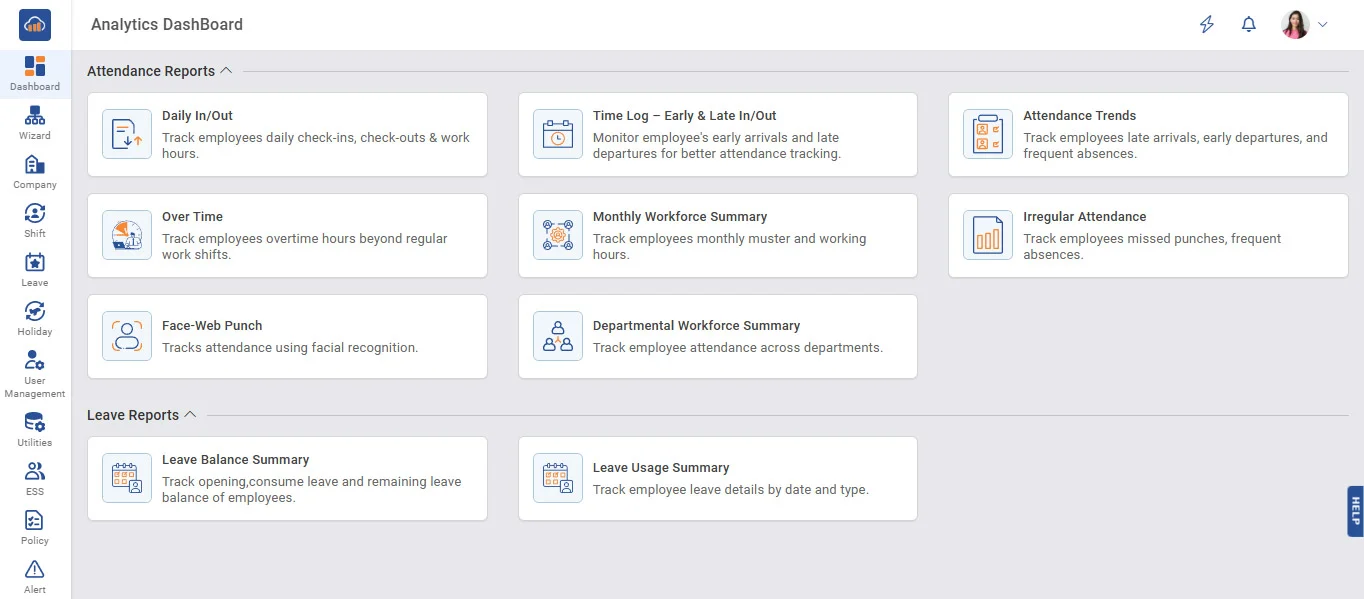
➤ Attendance Reports
Daily In/Out
• Track employees daily check-ins, check-outs & work hours.
Time Log - Early & Late In/Out
• Monitor employee's early arrivals and late departures for better attendance tracking.
Attendance Trends
• Track employees late arrivals, early departures, and frequent absences.
Over Time
• Track employees overtime hours beyond regular work shifts.
Monthly Workforce Summary
• Track employees monthly muster and working hours.
Irregular Attendance
• Track employees missed punches, frequent absences.
Face-Web Punch
• Tracks attendance using facial recognition.
Departmental Workforce Summary
• Track employee attendance across departments.
➤ Leave Reports
Leave Balance Summary
• Track opening,consume leave and remaining leave balance of employees.
Leave Usage Summary
• Track employee leave details by date and type.
➤ Easily rearrange report columns using drag and drop.
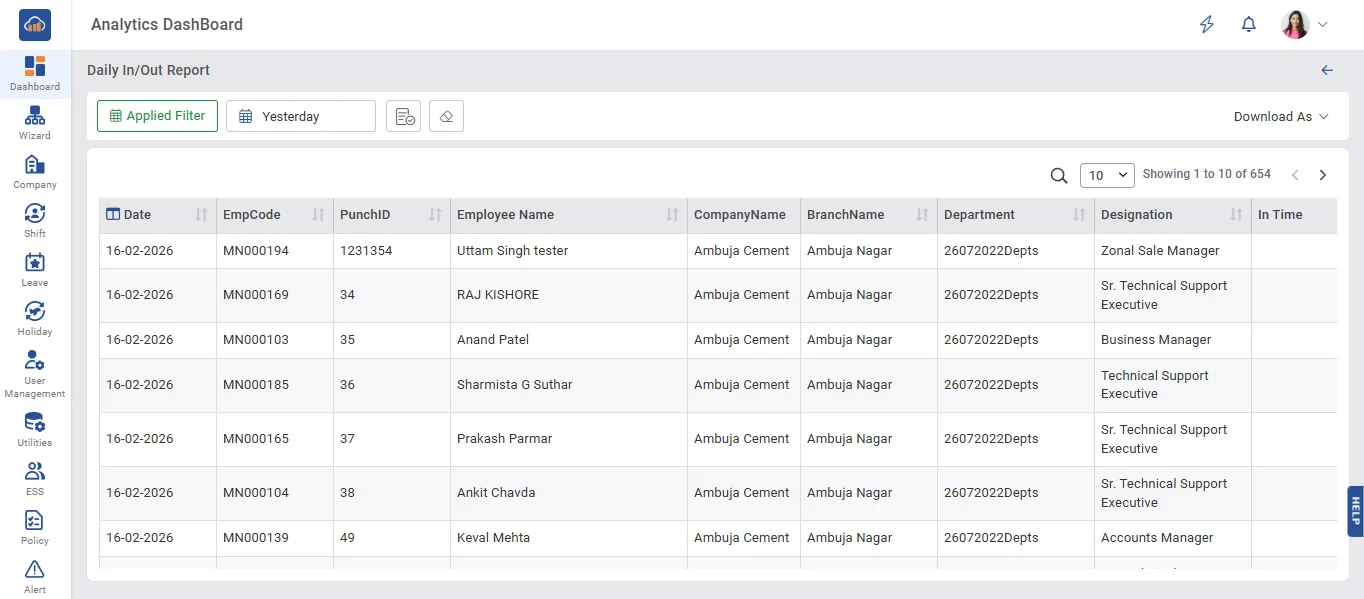
➤ Daily In/Out Report
Applied Filter
• Apply filters to view specific attendance data based on selected criteria.
• Filter data by Company, Branch, Department, and Employee.
• View only relevant records after applying filters.
• Reduces large data and improves report accuracy.
View Report
• Generate and display the report based on selected filters.
Clear Filter
• Reset all applied filters and show default data.
Download As
• Export the report in PDF or Excel format.
• Export data in Excel format for further analysis.
• Helps in sharing and record keeping.
Same design and view as all other reports
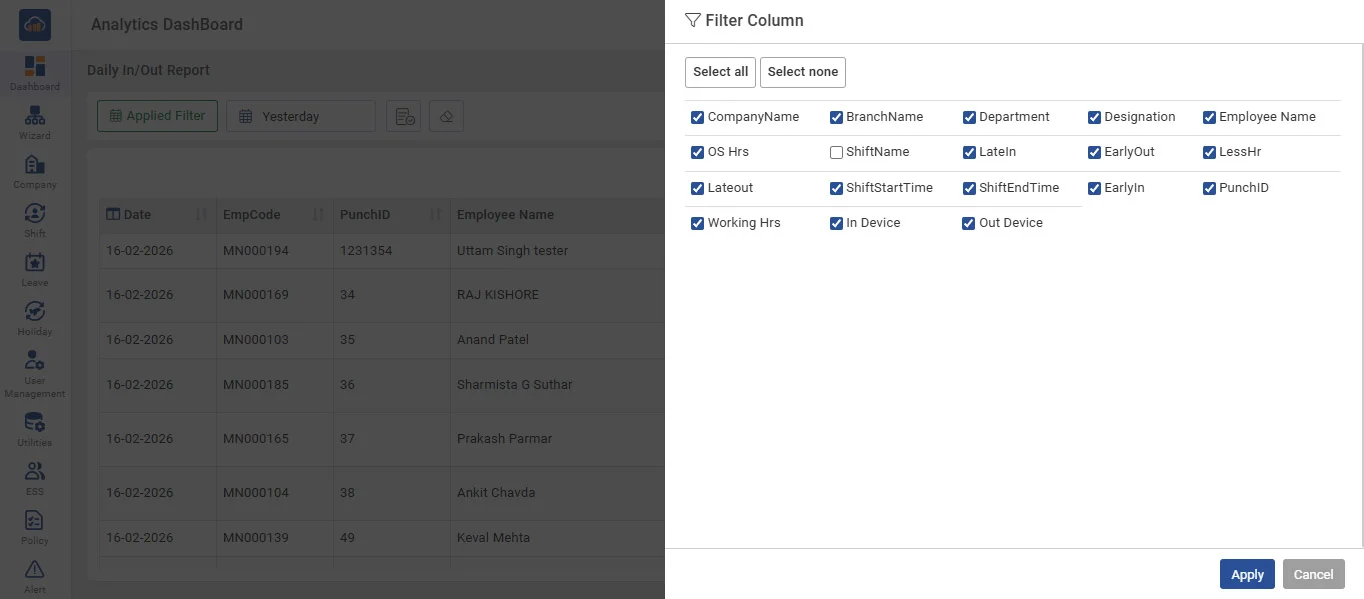
➤ Filter Column
Customize the report by choosing which columns to display.
• Select or deselect columns as per your requirement.
• Show only relevant data fields in the report.
• Helps simplify and organize the table view.
• Improves readability by hiding unnecessary columns.
• Quickly apply or reset column selection.