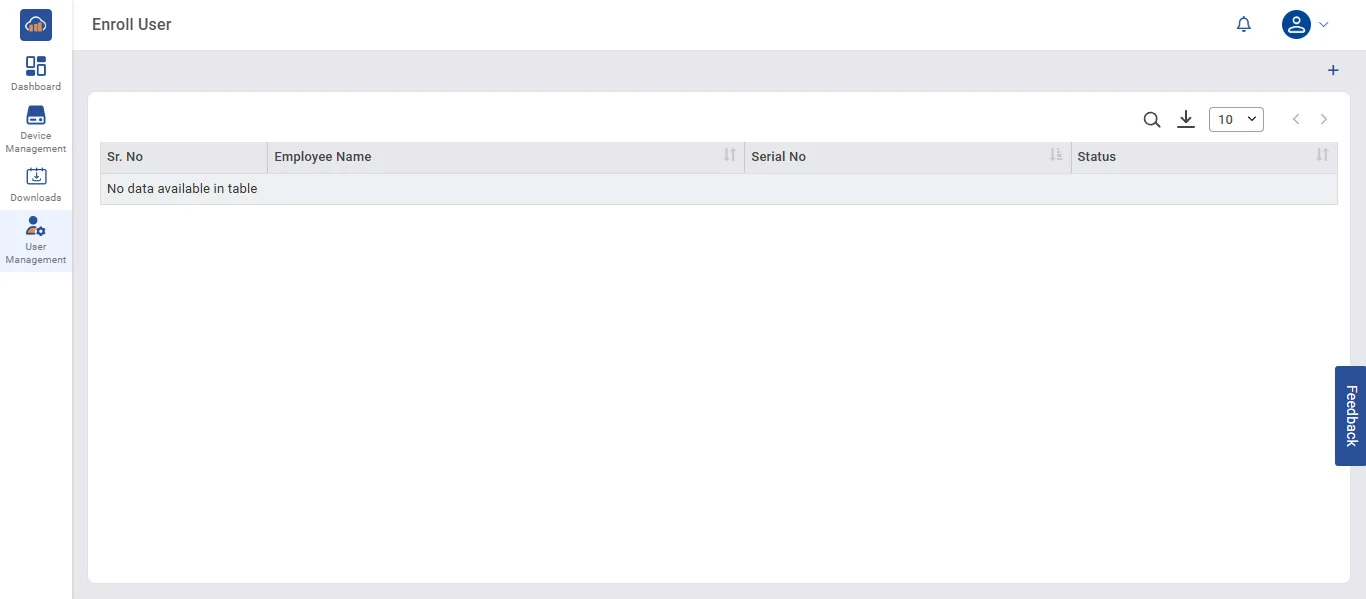
• Click the + Enroll User button at the top of the page.
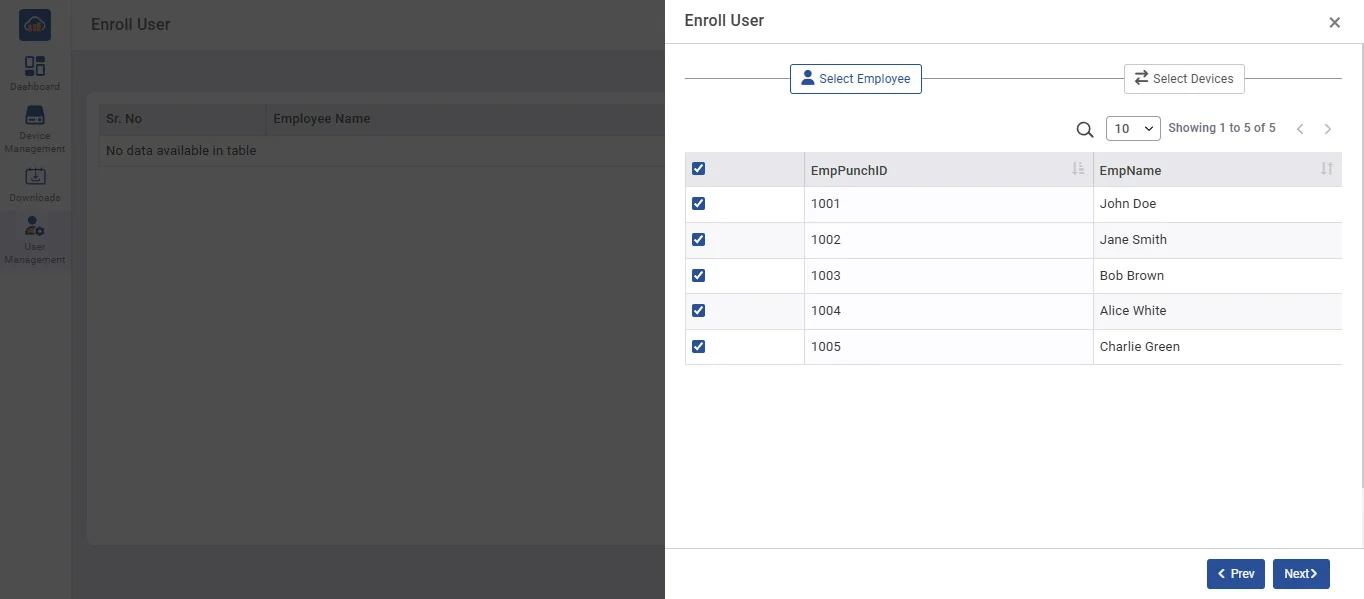
• A popup/window will open with a two-step wizard
(1) Select Employee (first tab/button)
(2) Select Devices (second tab/button)
• Once employees and devices are selected, click Next or Save/Enroll.
• After success, return to the main Enroll User table - the newly enrolled employees will now appear with their Status updated.