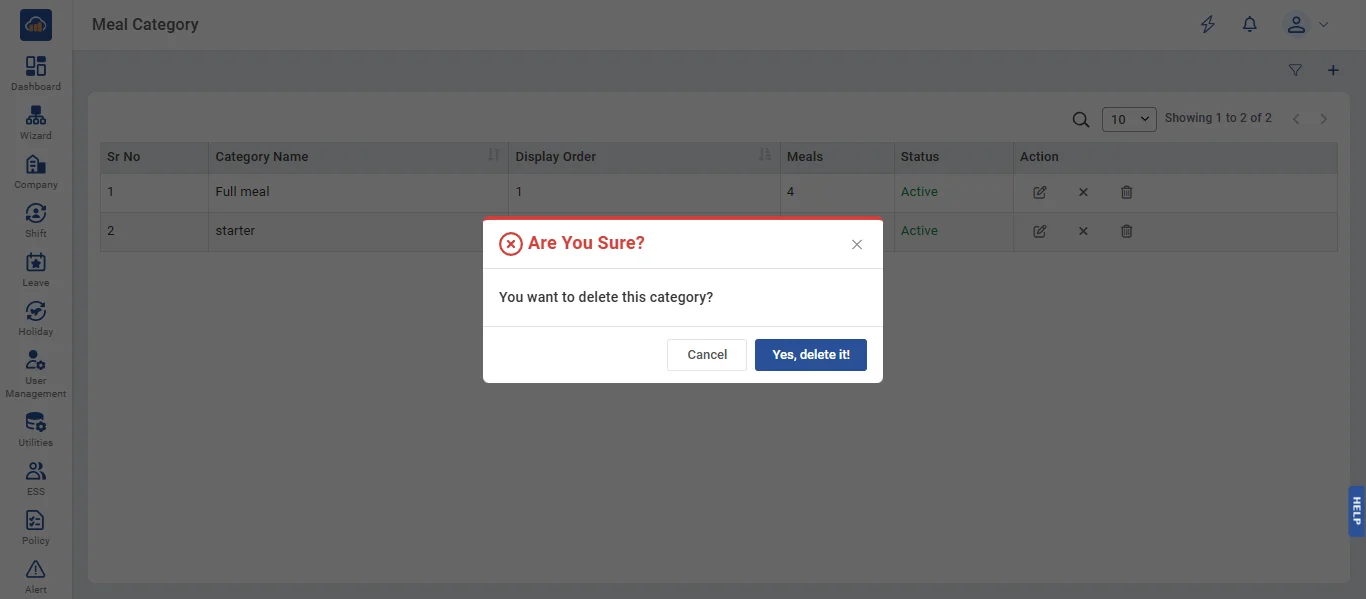
• Meal Category allows administrators to define categories for organizing meals within each canteen, such as Full Meal, Starter, Beverages, Desserts, etc. Categories help group similar meal items together and control their display sequence. Categories are canteen-specific, so each canteen can have its own set of categories. Only Super Admin and Canteen Manager can create, edit, and delete categories; Company Admin and Branch Admin have read-only access.
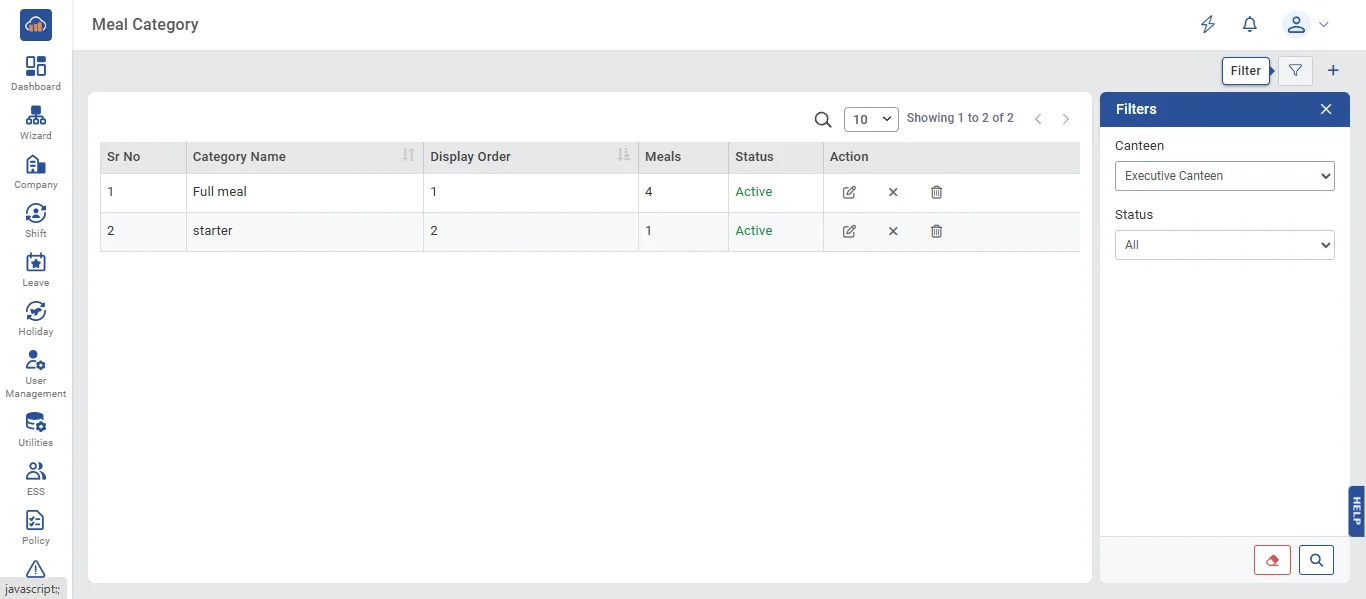
• The following page gets open when one selects "Meal Category" from the side navigation. First select a canteen from the Canteen dropdown filter. The page displays a table with columns: Sr No, Category Name (with description truncated to 80 characters), Display Order, Meals (count of meals in this category), Status (Active/Inactive), and Action buttons.
The "Filters" panel allows filtering by Canteen, Status (All / Active / Inactive), and search text.
Note: You must select a canteen before viewing or adding categories.
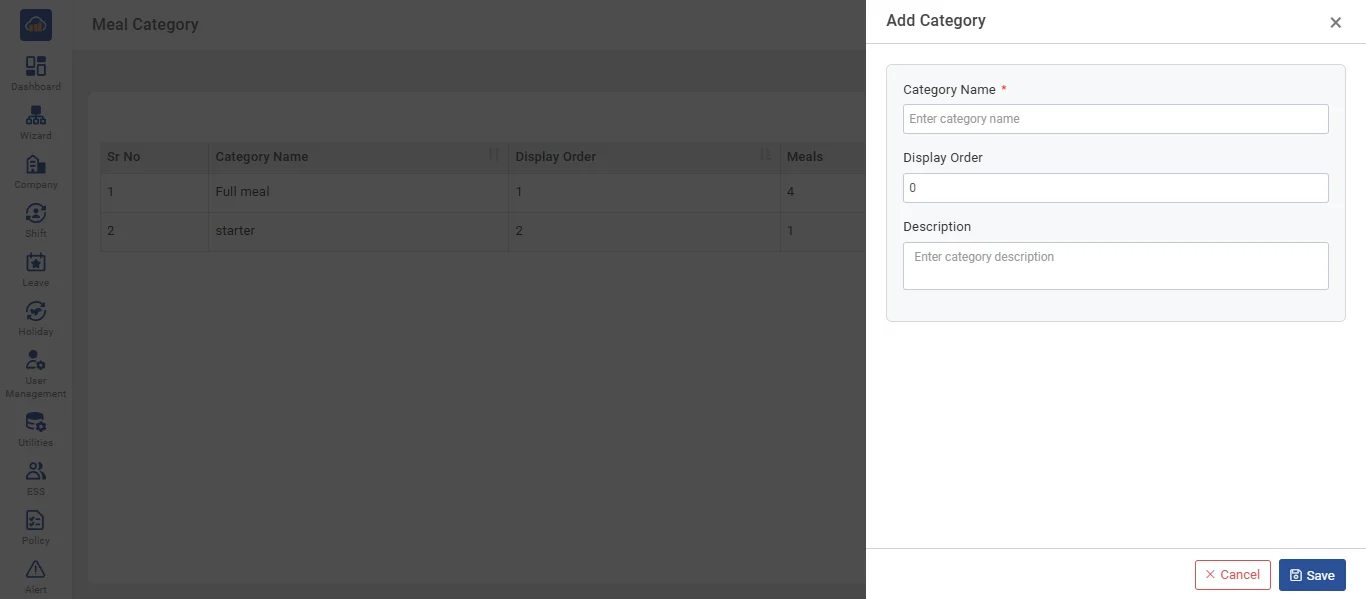
• Click the "+ Add Category" button to create a new meal category. A side panel opens with the following fields:
- Category Name * (required, max 100 characters - must be unique within the canteen, case-insensitive)
- Display Order (number - controls the sequence in which categories appear in menus)
- Description (optional, max 255 characters)
After filling details, click "Save" to create. Click "Cancel" to discard.
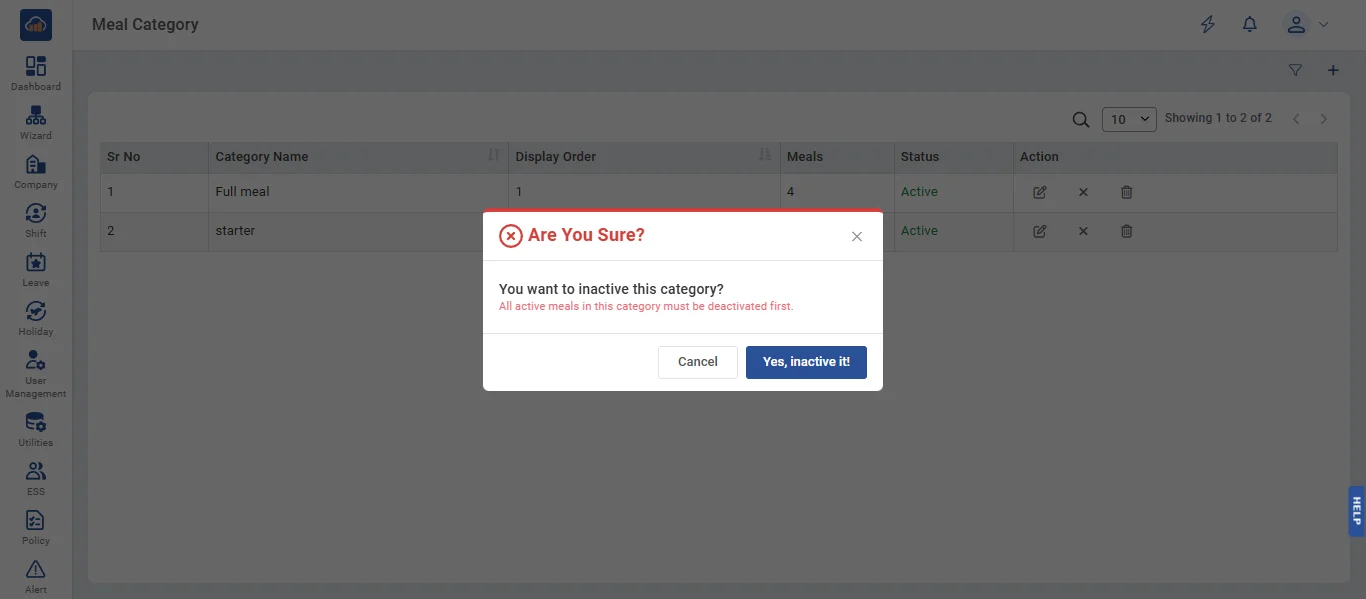
• If user wants to deactivate a category, click the "Deactivate" icon. A confirmation dialog appears: "Are You Sure? You want to inactive this category?". Click "Yes, Inactivate it" to confirm or "Cancel" to abort.
Note: Deactivation is blocked if there are active meals in this category. You must deactivate or reassign all meals in the category first.
• If user wants to delete a category, click the "Delete" icon. A confirmation dialog appears: "Are You Sure? You want to delete this category?". Click "Yes, Delete It" to confirm or "Cancel" to abort.
Note: Deletion is blocked if meals are assigned to this category. The error message shows the count of meals that must be removed or reassigned first.