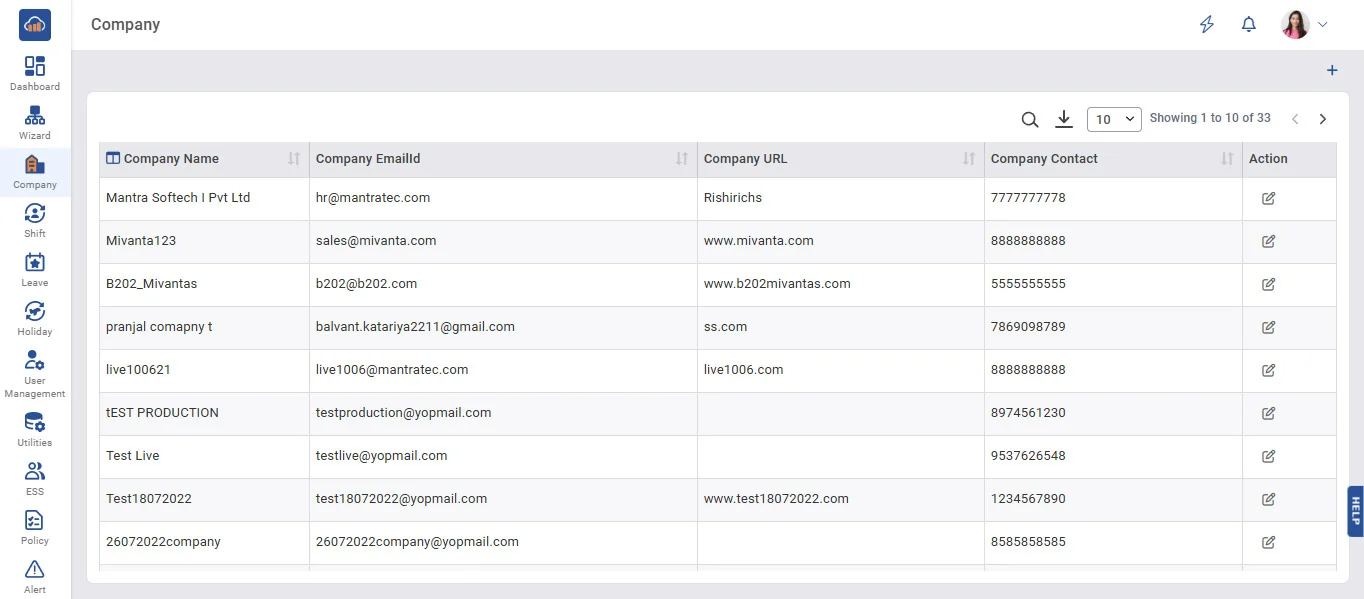
Above image shows company master view.
• When new Account is made than in company page By Default Company is display as added.
• To add new company click on +add company button.
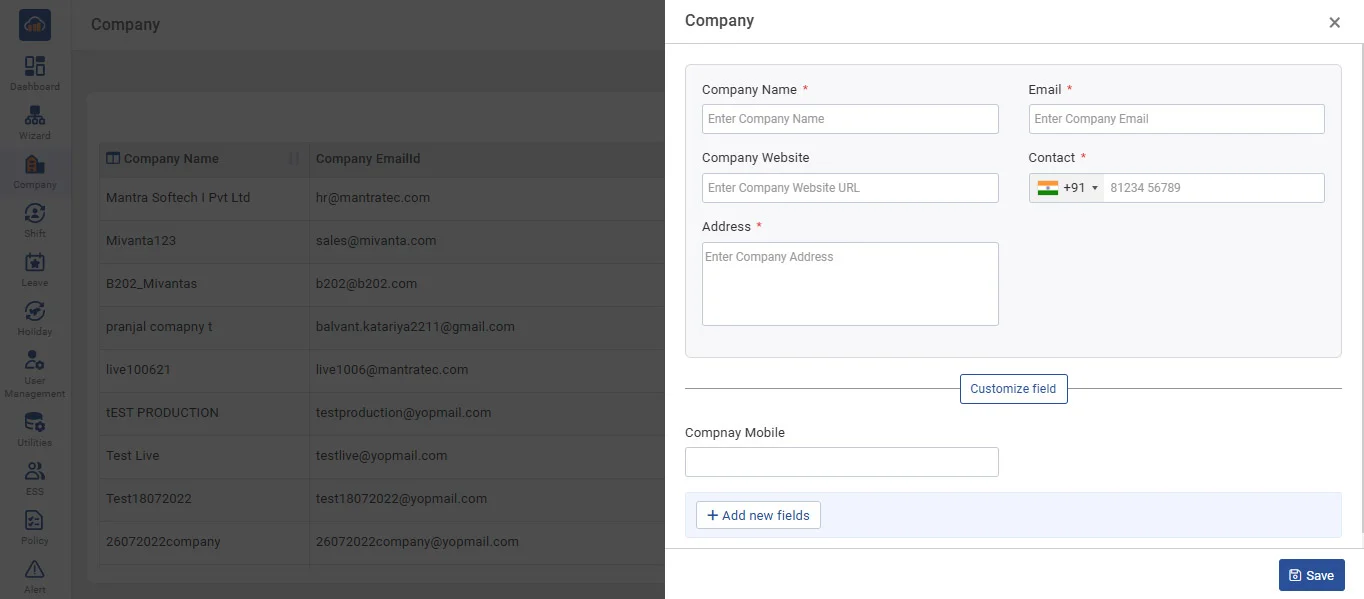
Above image shows example to add details for creating new company.
• If user wants to add other company then he/she can add.
• In Grid it displays all Companies which already entered by you.
• It allows you to Edit Company entries on clicking on 'Edit' button.