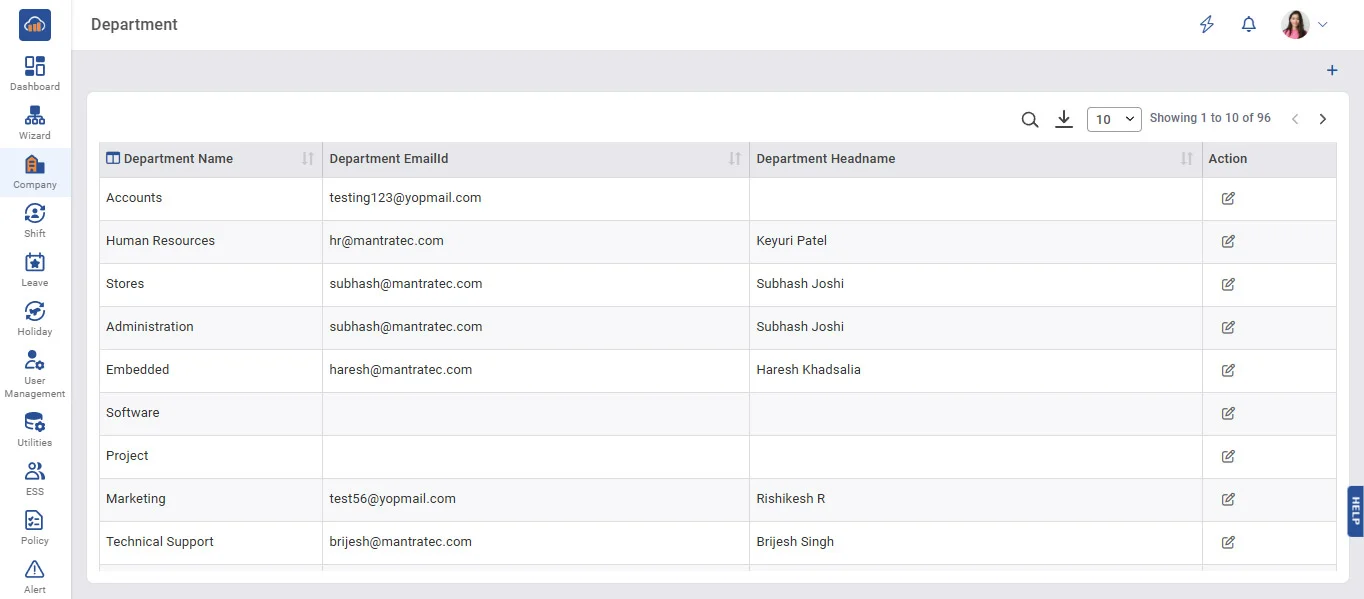
Above image shows view of Department master.
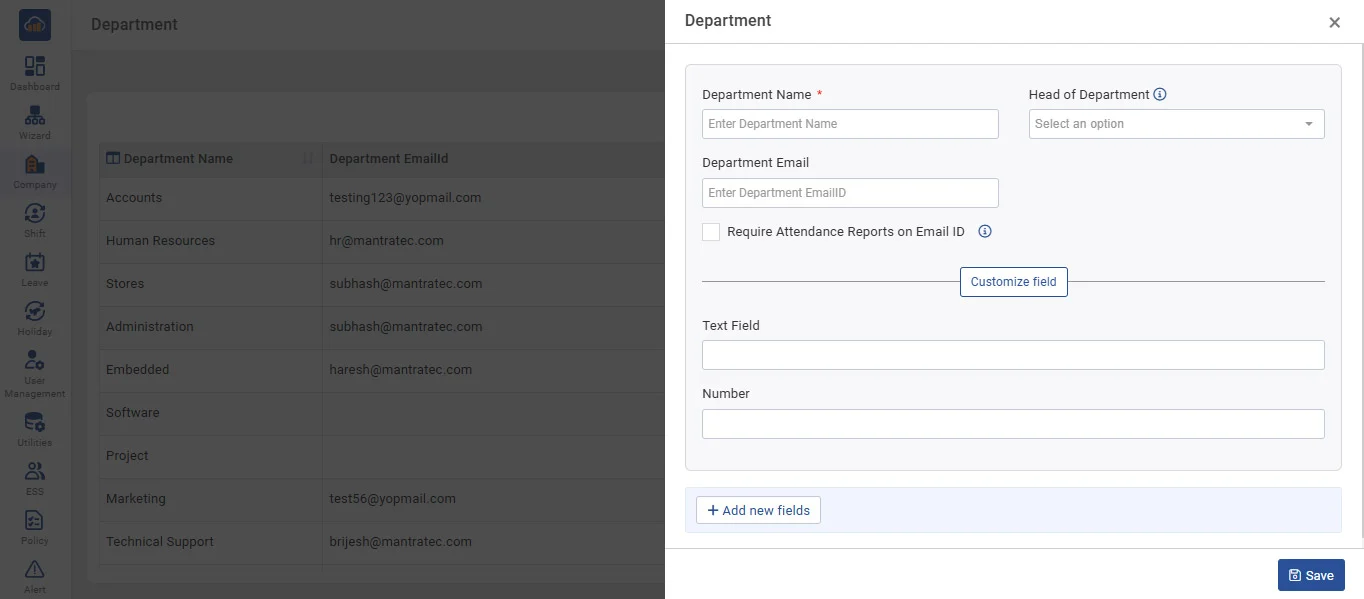
Above image shows when you click on “+Add Department” this modal will be shown.
• To add a new department, click on 'Add Department' and then fill in the name and head of Department information (the registered employee name will be listed from employee master), Department Email and then click on the 'Save' button.
• In Grid, it displays all Departments which are already entered by you.
• It allows you to edit department entries on clicking on the 'Edit' button.
• If Department Head required Attendance Reports of all his/her employees, then tick Mark the option as shown on the screen.