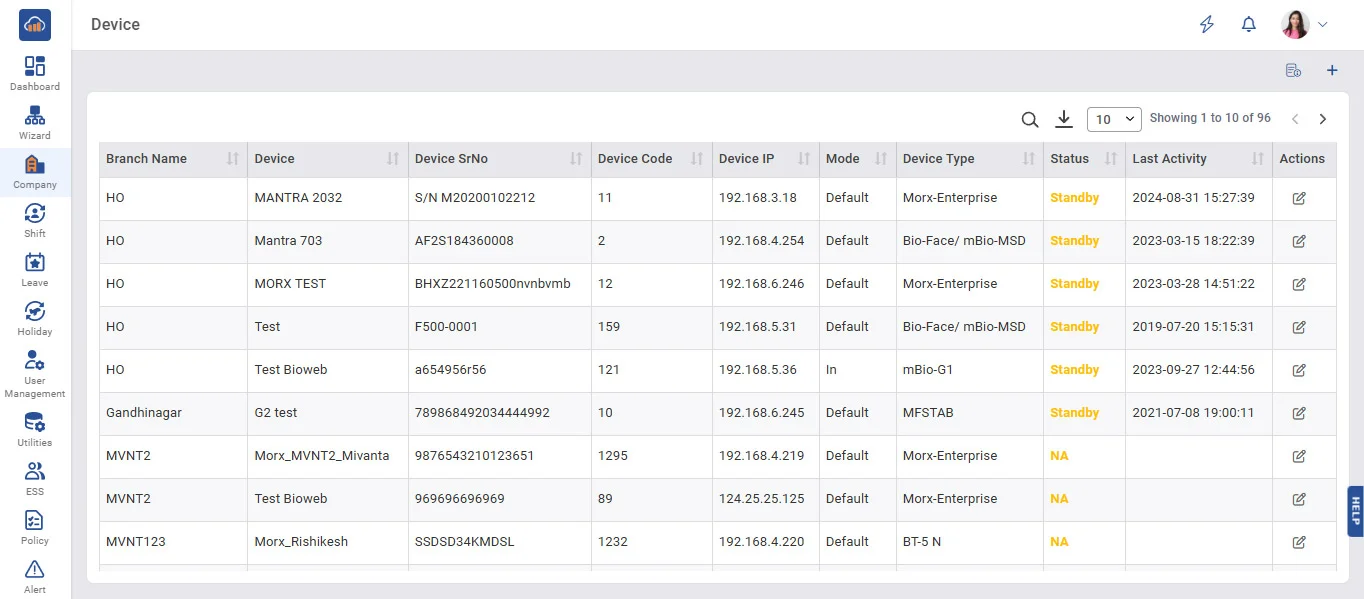
Above image shows view of device master.
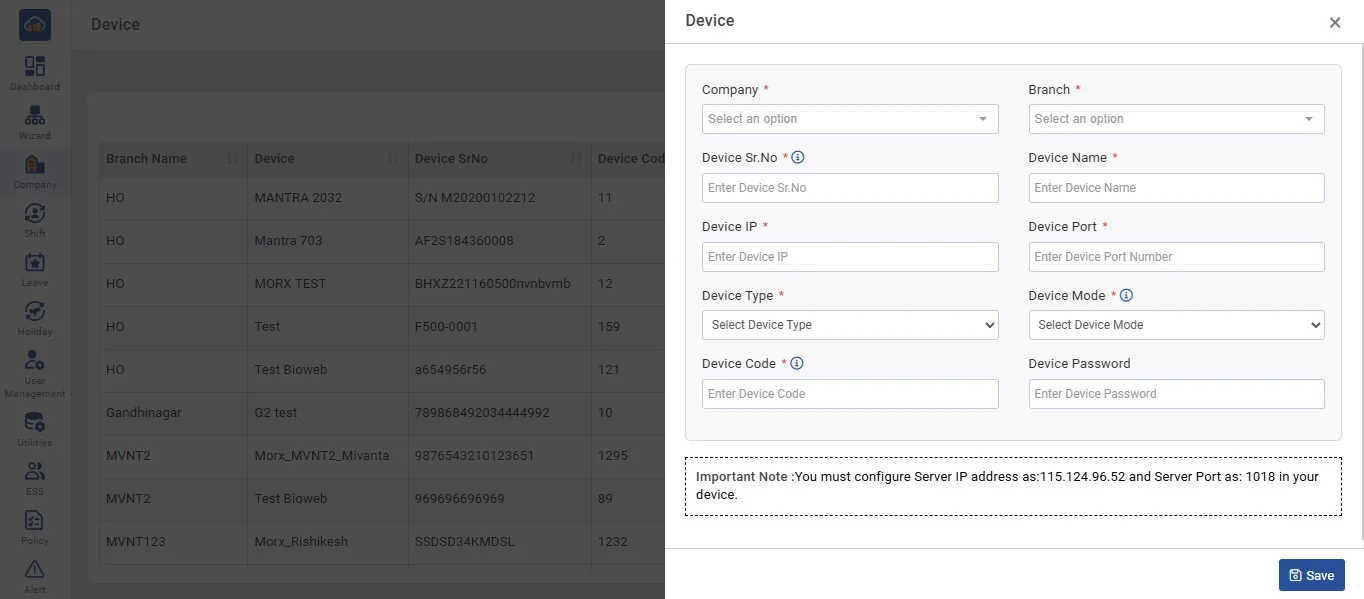
Above image shows view of device master modal when you click on “+ add device”
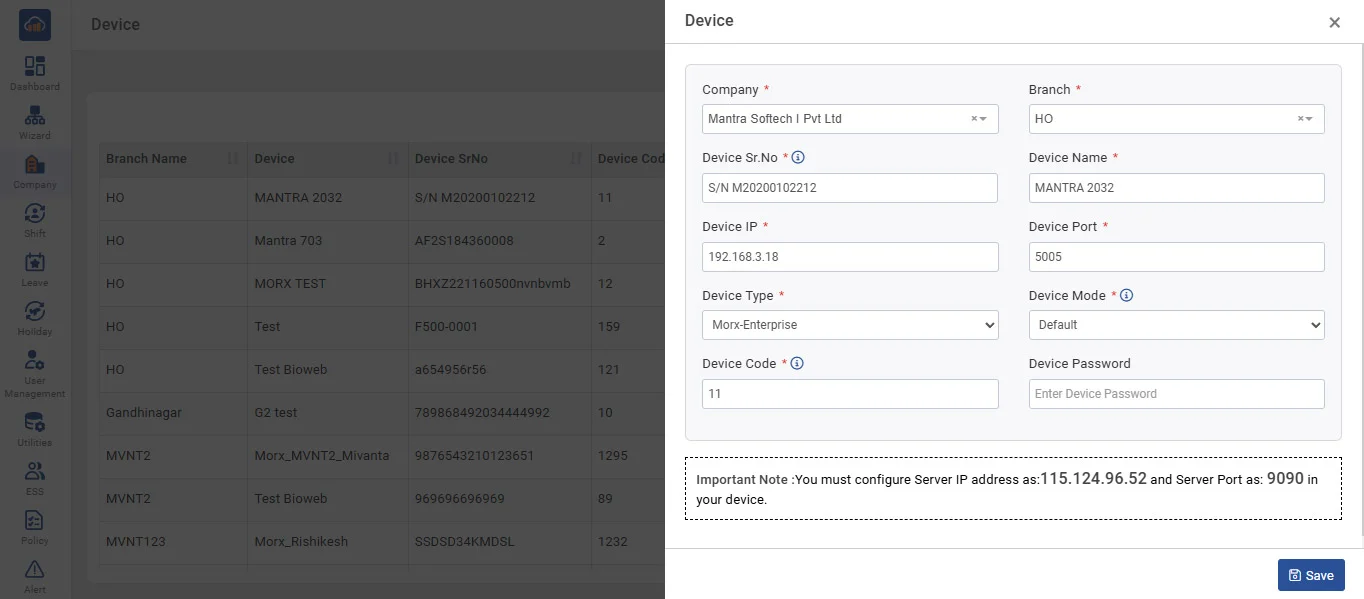
Above image shows example to add device details in device master to register new device.
• Configuration of all devices is needed to be saved in Device Master.
• Device ID, Device IP, Port Number, Device Password Details will be available in your Device Menu.
• You can set Device Mode to IN, OUT, or Default.
Device Mode
• IN - All entries downloaded from the device will be considered as IN entries. (If application mode is in fix)
• Out - All entries downloaded from the device will be considered as out entries. (If application mode is in fix)
• Default - In - Out will be considered from the Device In - Out Flag. (depending on application mode in auto mode first will be considered as and second will be considered as out)
• You have to select Device Type from the list of displayed Device Type fields.
Note : Check policy for more details on application mode.
Push Data Configuration :
• ServerPort - Default server port for Minopis 1018, so you need to make sure it is in the device. "Manager/server/host port” should be set to 1018.
• Server IP/Host IP (At Device Level) - Default server/host/manager IP for Minopis 115.124.096.050, so you need to make sure this IP is mentioned device “manager/server/host pc IP”
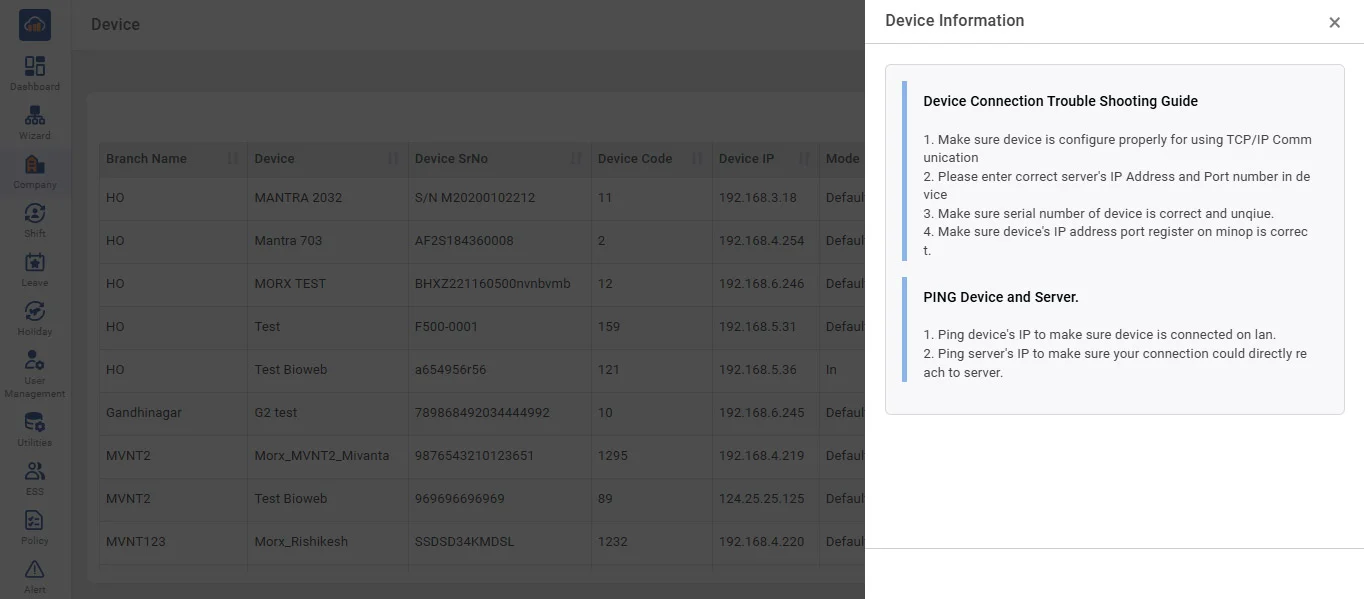
Above image shows Device Information.