• Employees can apply for leave and track the status of their leave requests.
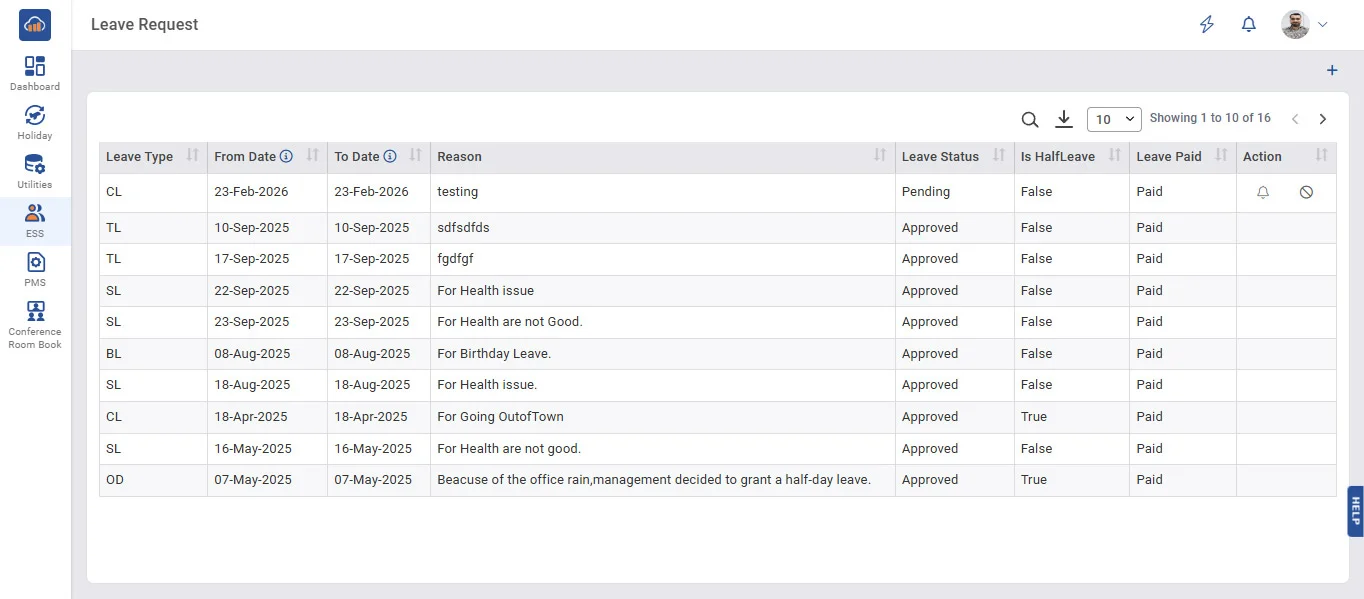
• To add new leave requests click on + Add Leave button.
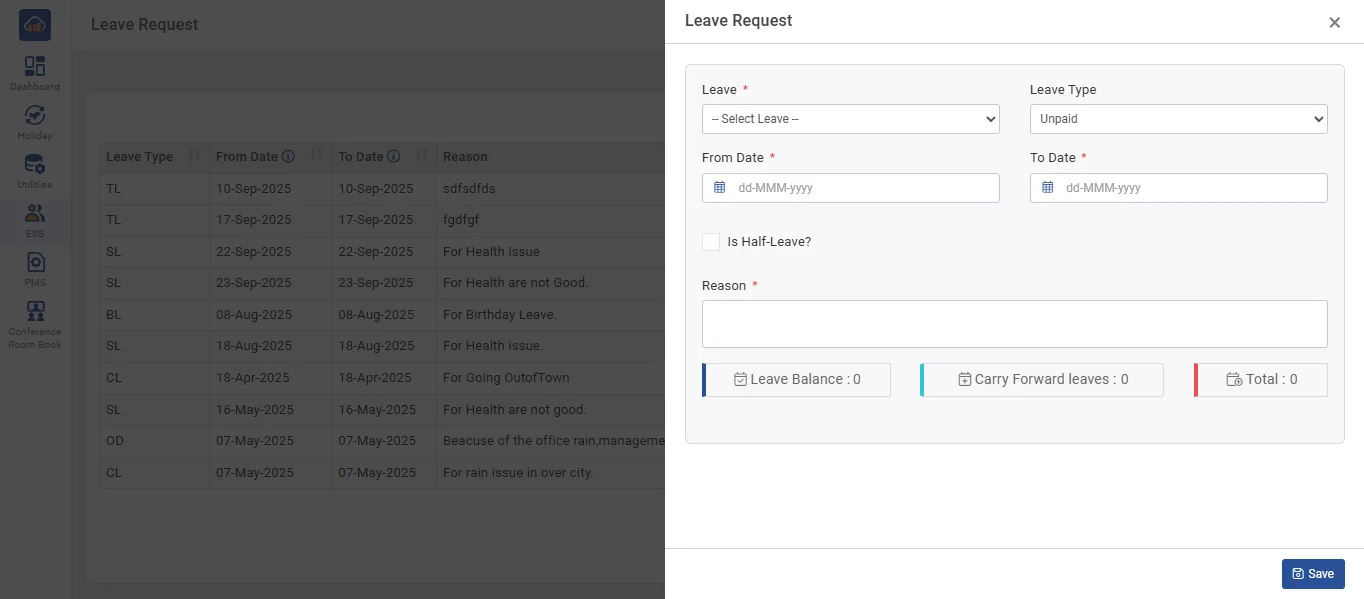
• Once the leave is submitted, the status will automatically show as "Pending" until Admin/Reporting person approve/reject it.
• After Admin/Reporting person approve/reject it the status will be Approved/Rejected
• After submitting for leave the data will display in the Grid.
• A notification bell icon alert can be triggered for the Reporting Manager.