| Field | Details |
|---|---|
| Roles | Manager/Employee Only |
| Type | MINOP - Expense Management System - Trip Request Module |
| Device | Web Application |
The goal of the trip request for expense management system is to streamline and automate the process of requesting, approving, and managing expenses incurred during business trips. It aims to improve efficiency, transparency, and compliance within the organization's expense management procedures.
Manager/Employee, wants to submit a trip request through the expense management system so that they can easily communicate the travel plans and obtain necessary approvals for expenses incurred during the trip.
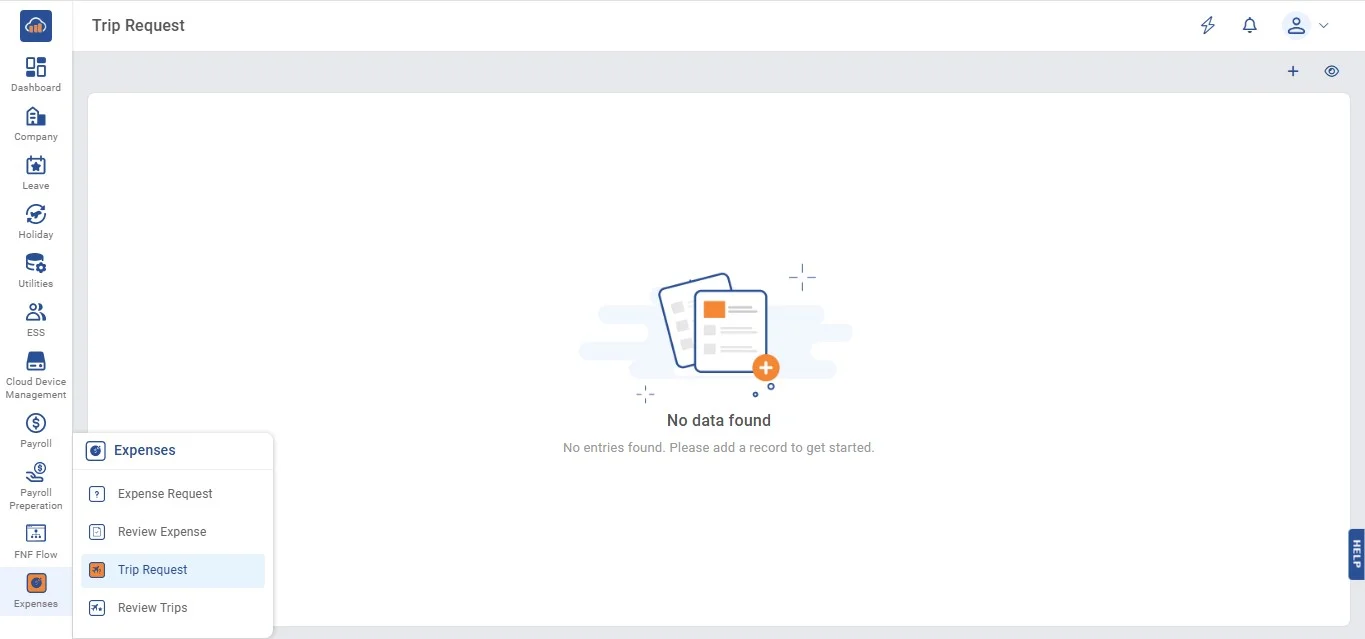
• When you click on "Expenses", you'll see a menu with four options: Expense Request, Review Expense, Trip Request and Review Trips.
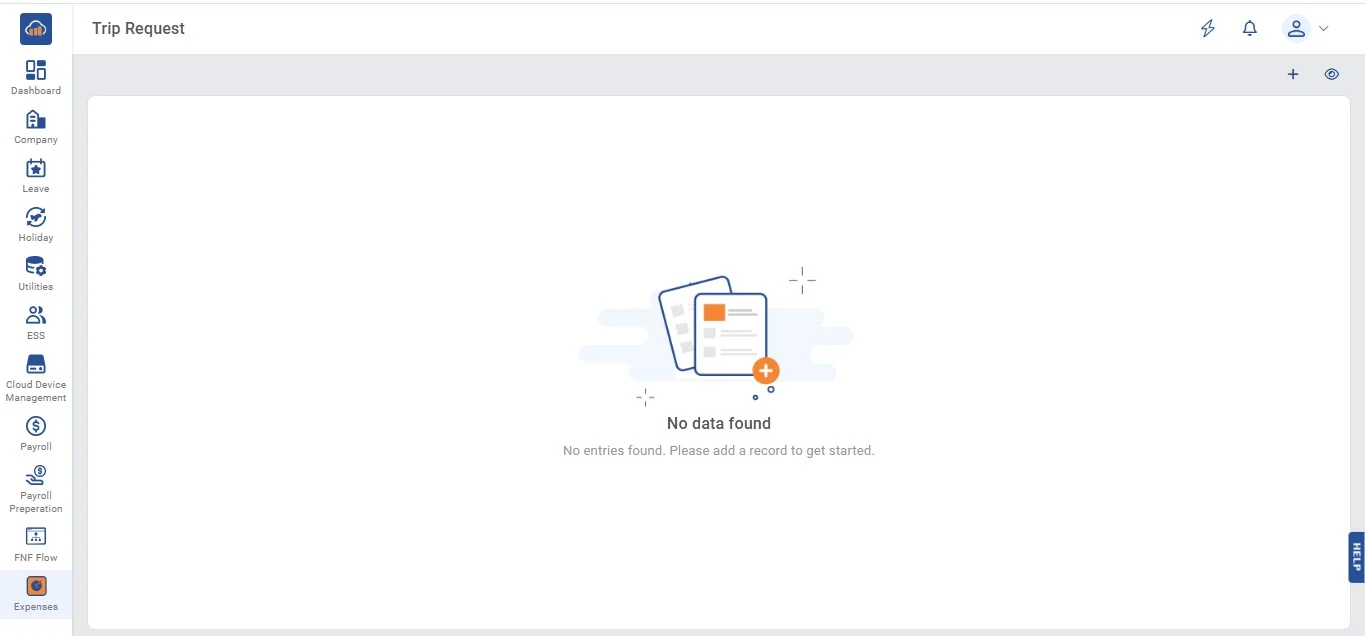
• If you click on Trip Request, there are two possibilities.
• 1. View, Edit, Update and Delete
• Click on "Trip Request" on the top right corner to create trip request.
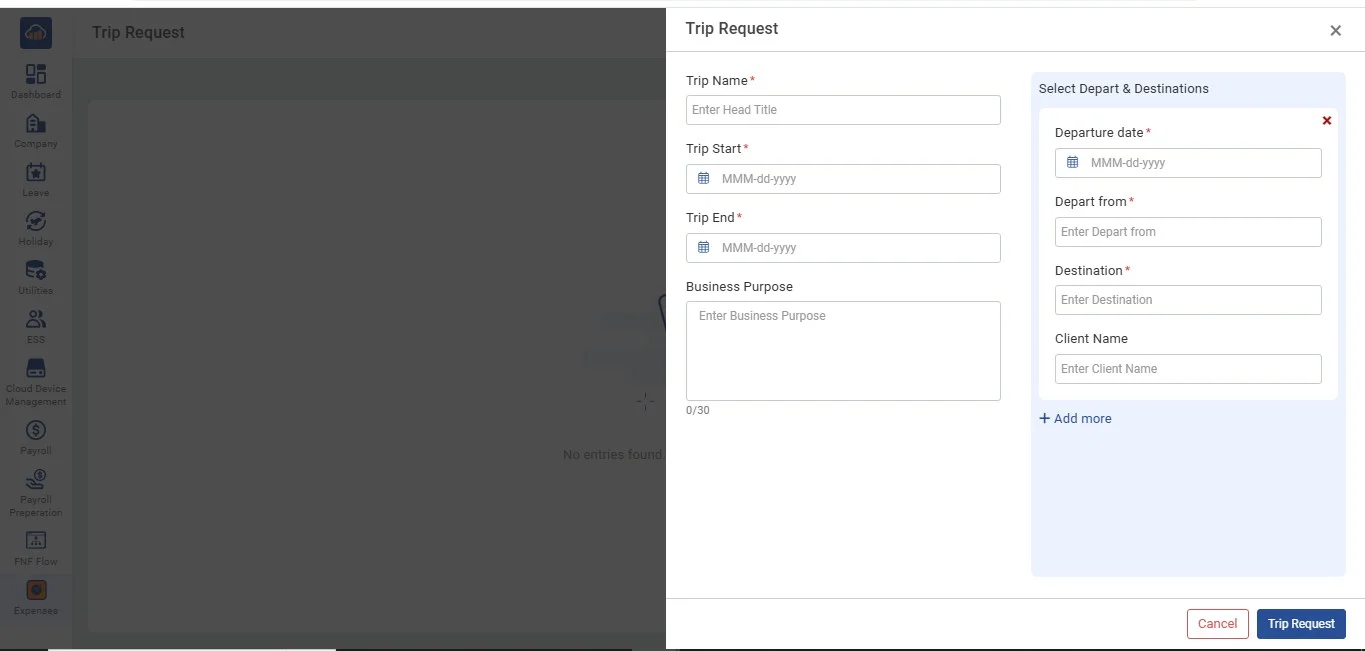
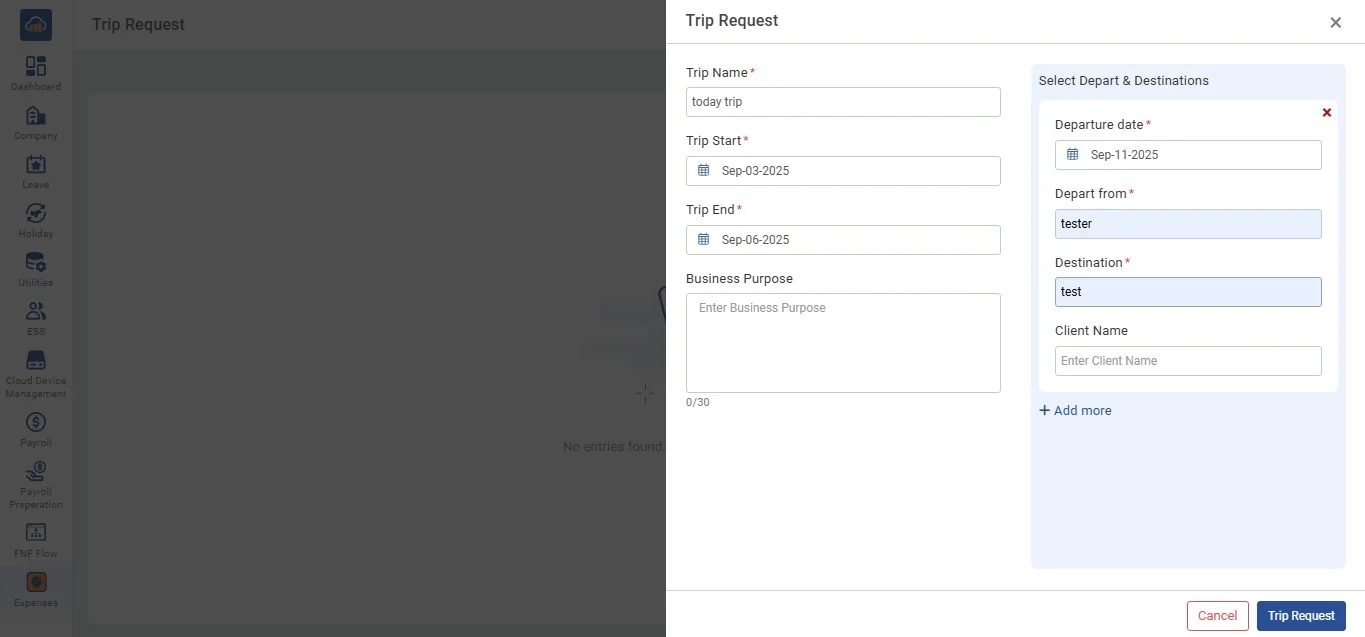
• After clicking on "Trip Request" the following modal gets open.
• Then fill in all the details to proceed further. Then click on "Trip Request" to add a trip request or can click on "Cancel" if the user doesn't want to create.
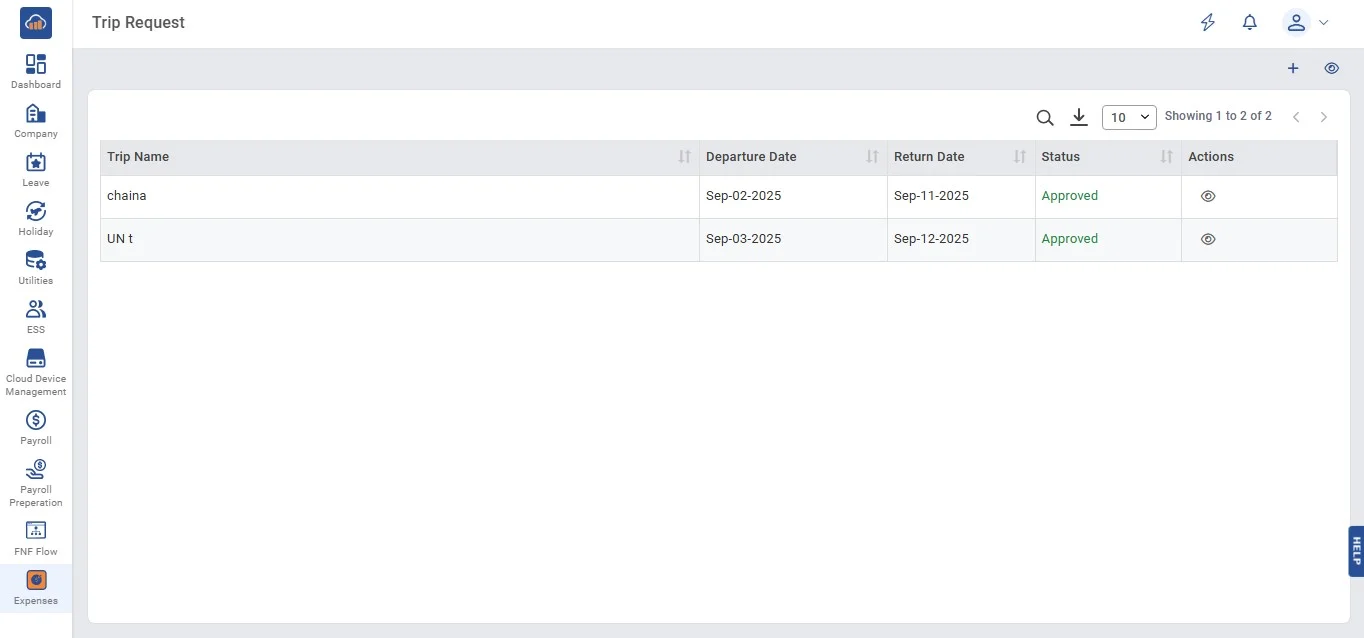
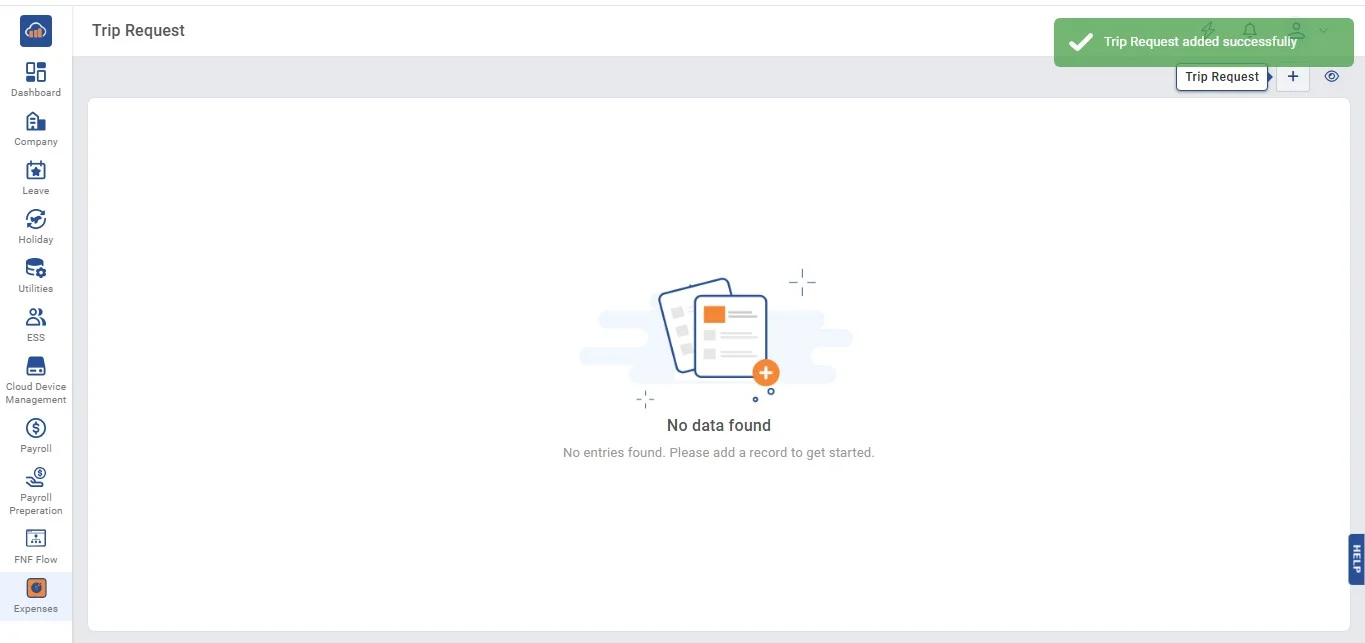
• After clicking on "Trip Request" the following table gets created with a toaster message of success.
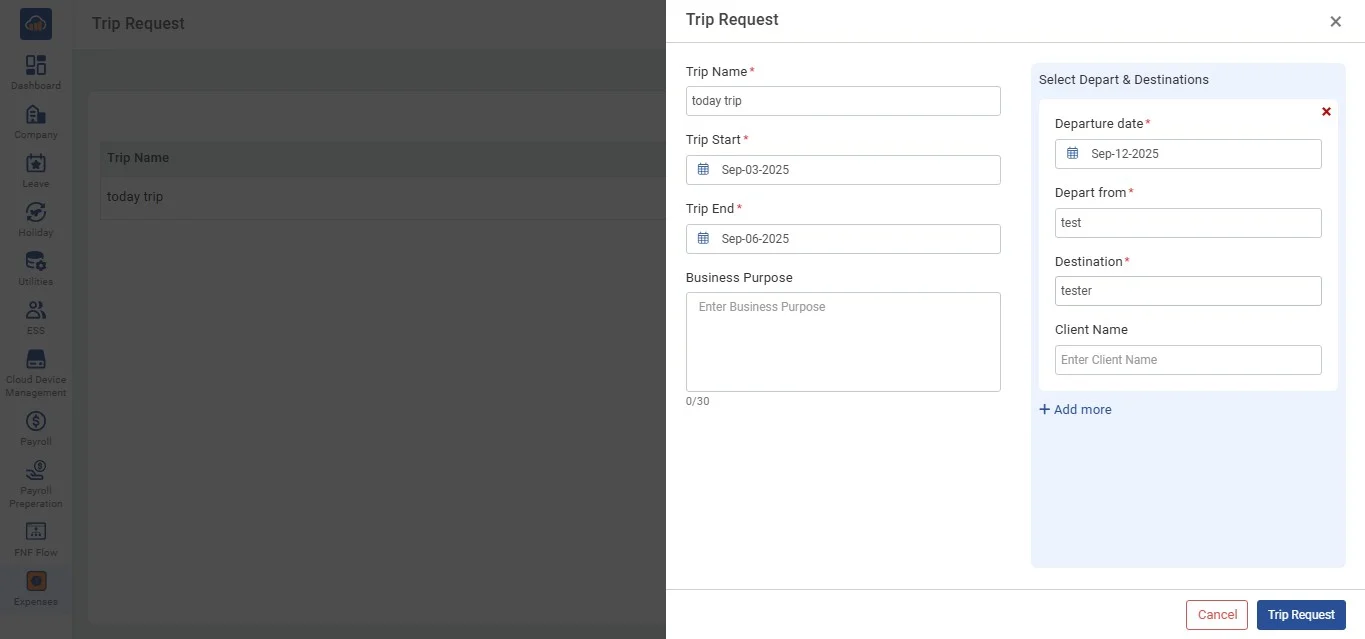
• After editing or updating necessary changes click on "Trip Request".
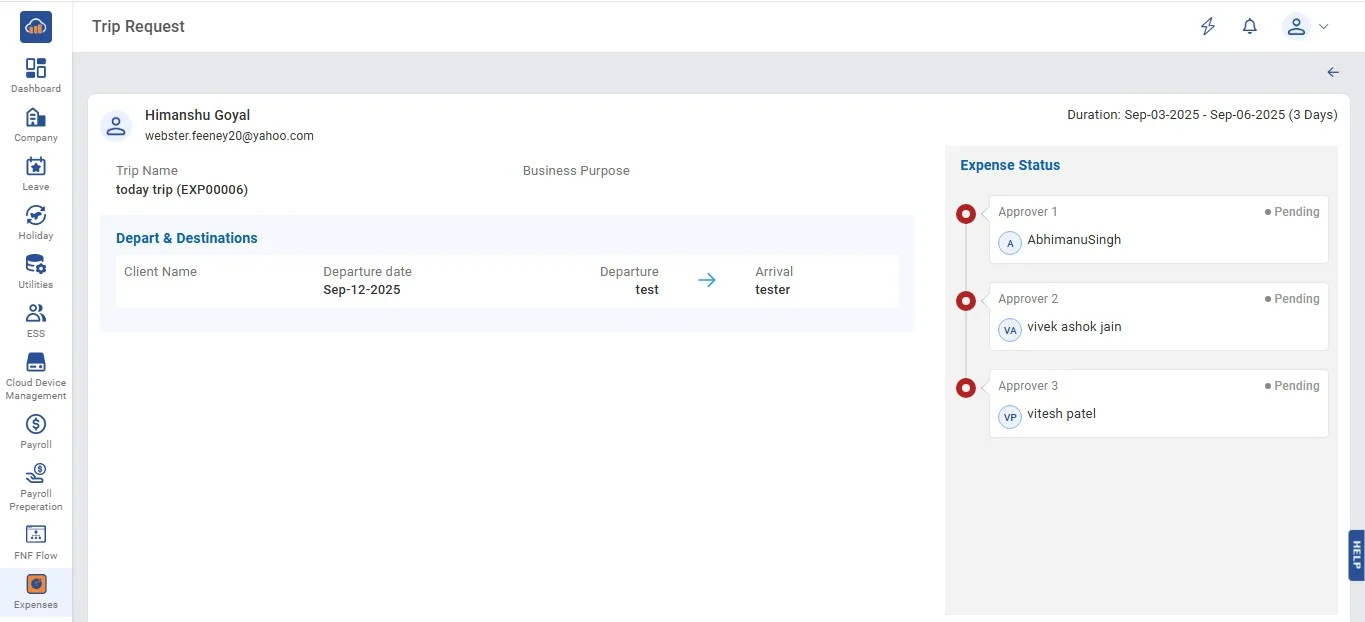
• On clicking on the "View" icon from the table, users can view the following page.
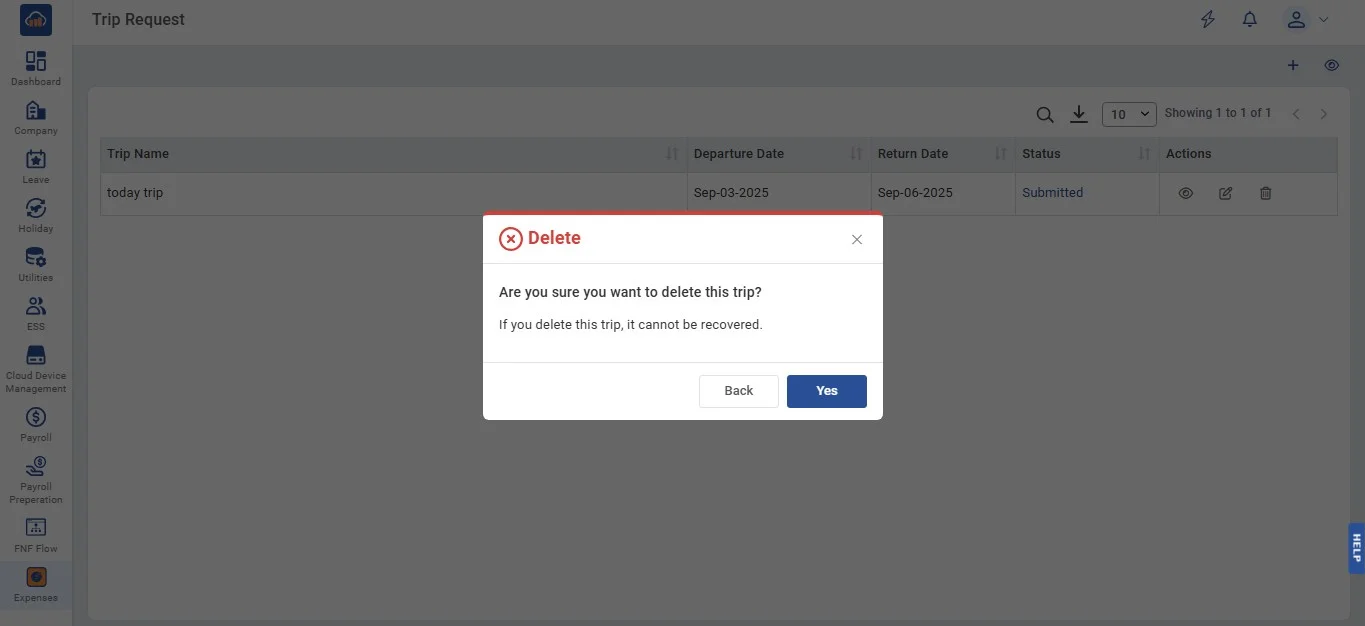
• Click on the "Delete" icon and the user can delete a particular trip. On clicking it a pop-up message appears to confirm. If the user wants to return back then can by clicking the "Back" button and can confirm by clicking the "Yes" button.
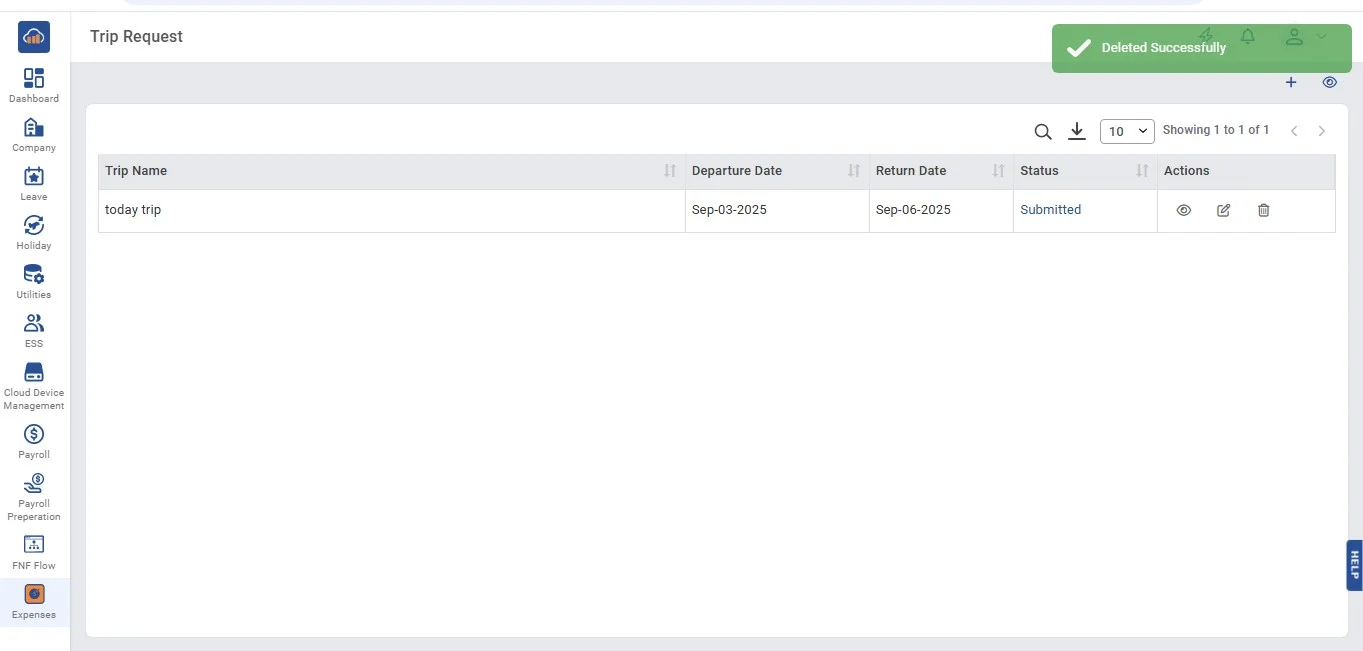
• After clicking on "Yes" a toaster message will appear to confirm the delete.