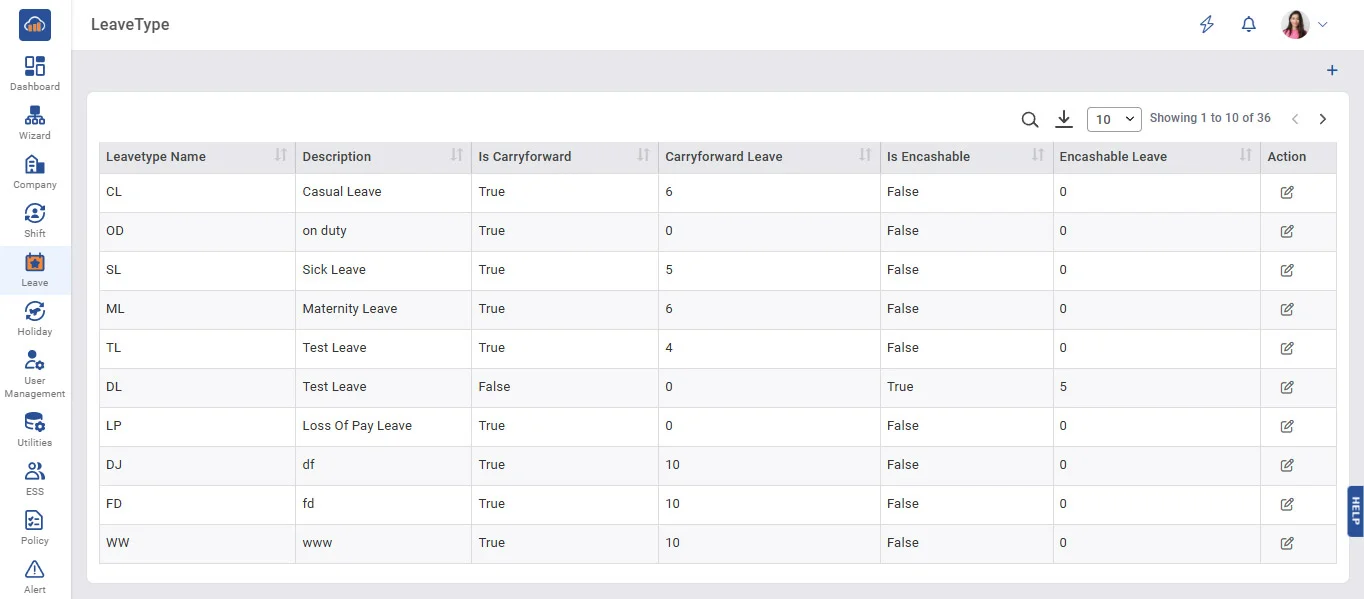
Above image shows view of leave type master.
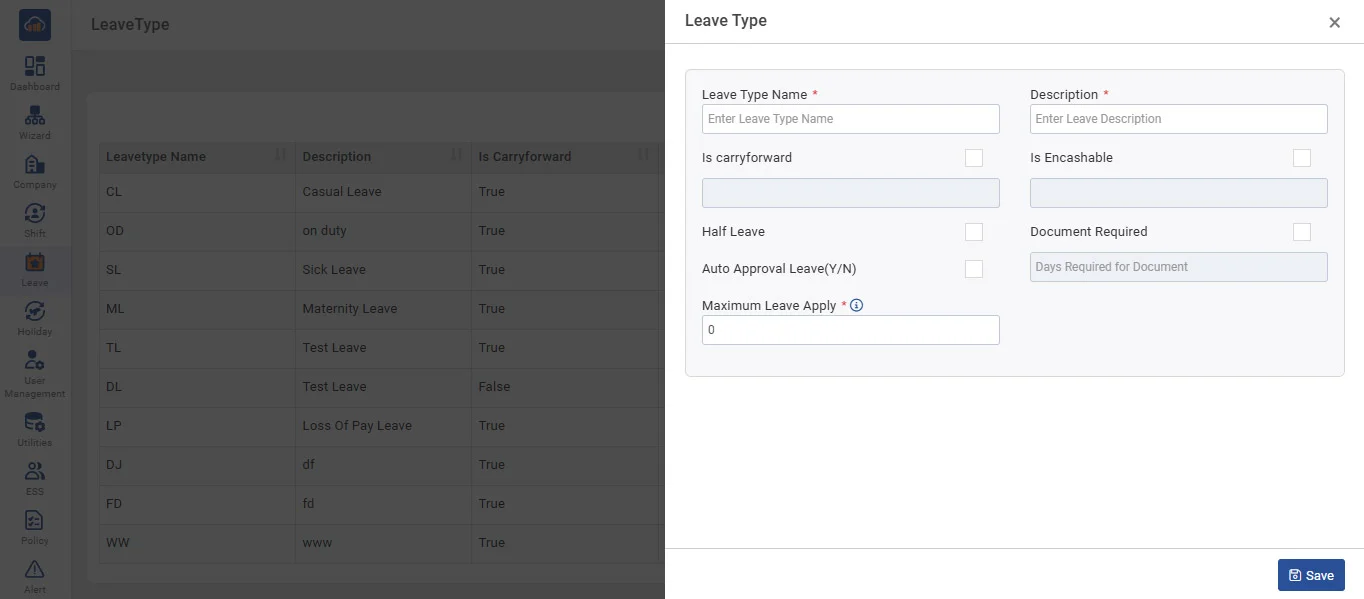
Above image shows modal when we click on “+ Add Leave Type”
• Save all leave types offered to employees in your company in Leave Type Master.
• To add new leave, click on 'AddLeaveType,' fill in the name of the leave type and description, and check Whether leave is carried forward or encashable and number of leave how much it will be carried forward or encashed after end of transaction year, Half Leave Application or Not and Then click the 'Save' button.
• In Grid, it displays all leave types that have already been entered by you.
• You can edit leave type entries by clicking on the 'Edit' button.