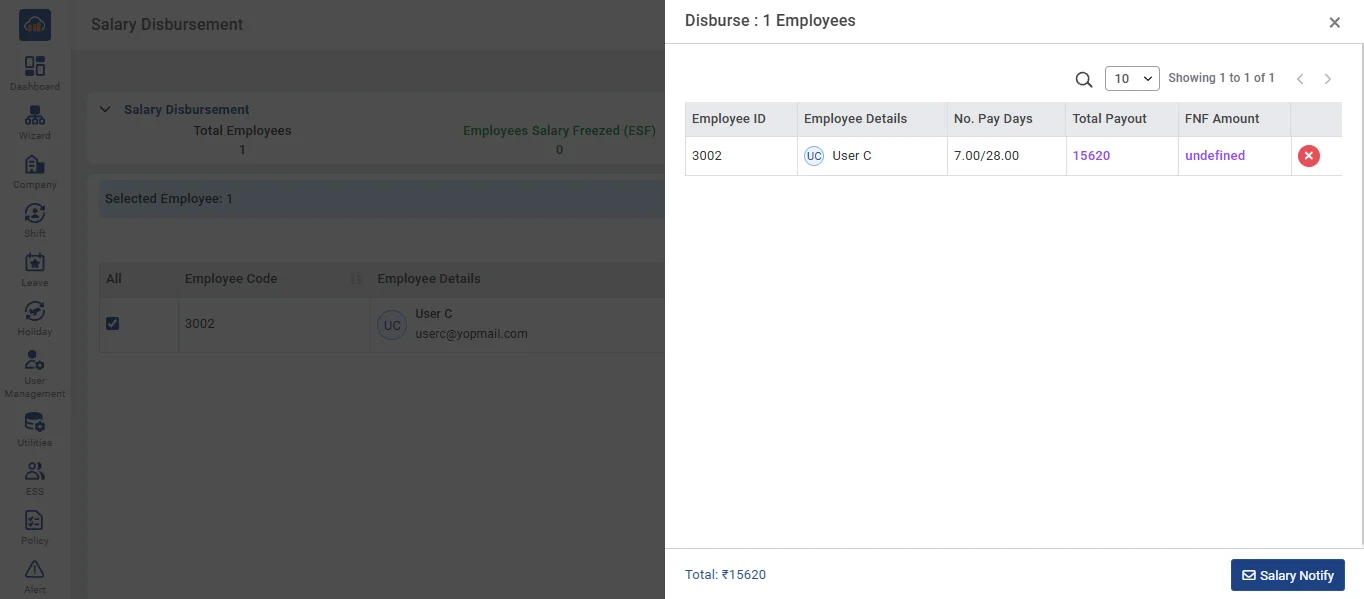
• Salary Disbursement refers to the process where salaries are disbursed to employees whose salaries have been processed.
• On the Salary Disbursement page, select all mandatory fields - Company, Branch, and Month - then click the search button.
• Review the list of employees whose salaries have been processed. Ensure all details are correct.
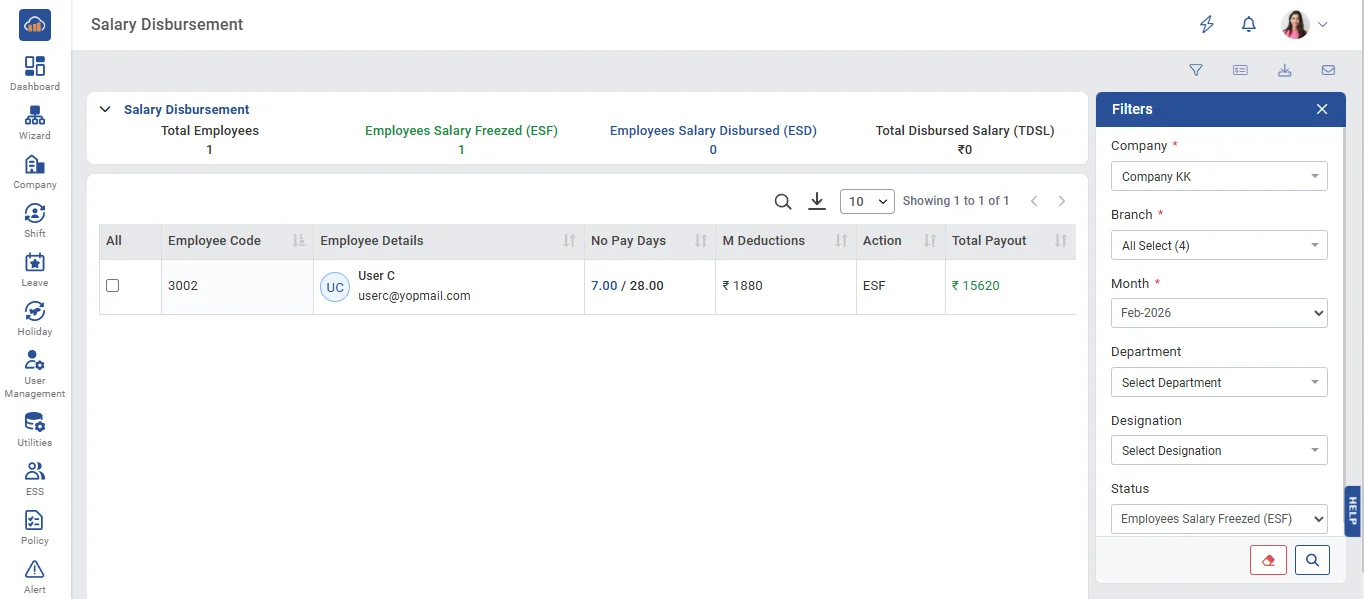
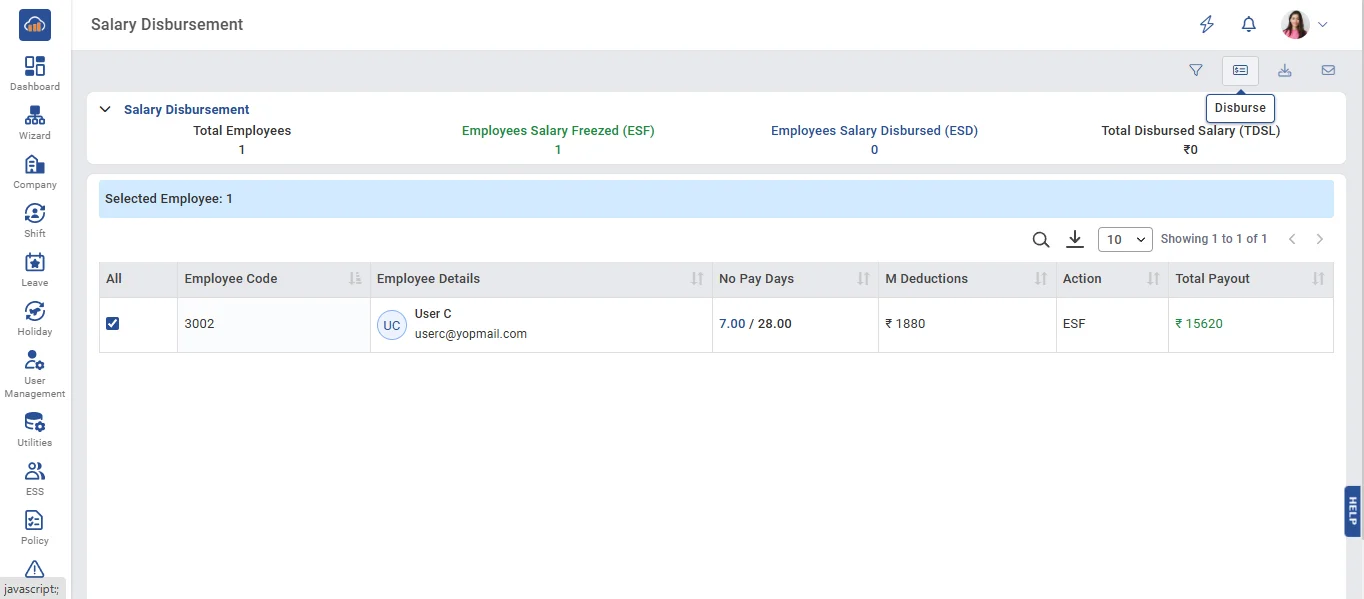
• Select the employees for whom the salary should be disbursed.
• Click the Disburse button to initiate the salary disbursement process.
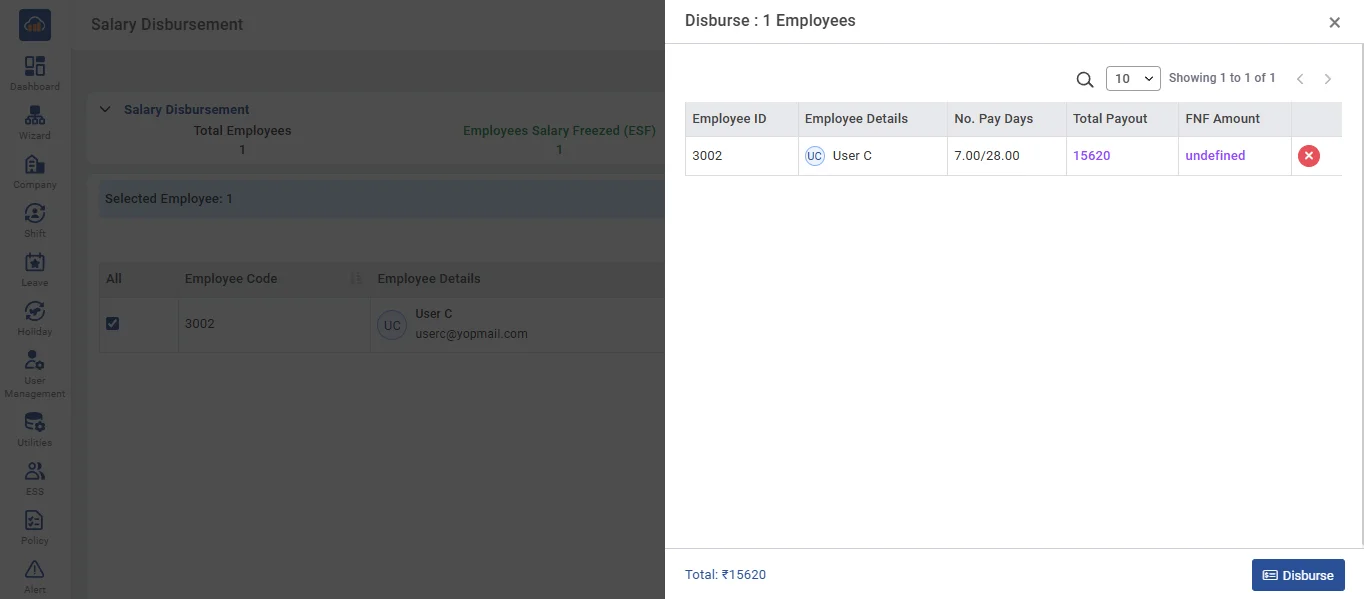
• A new window will open displaying all employees whose salary disbursement is pending. Click the 'Disbursement' button to proceed with the salary disbursement.
• A confirmation message will appear once the disbursement is successfully completed. Then, select "Employees Salary Disbursed" to view the list of employees. Choose the employees whose salaries have been disbursed and export the bank sheet.
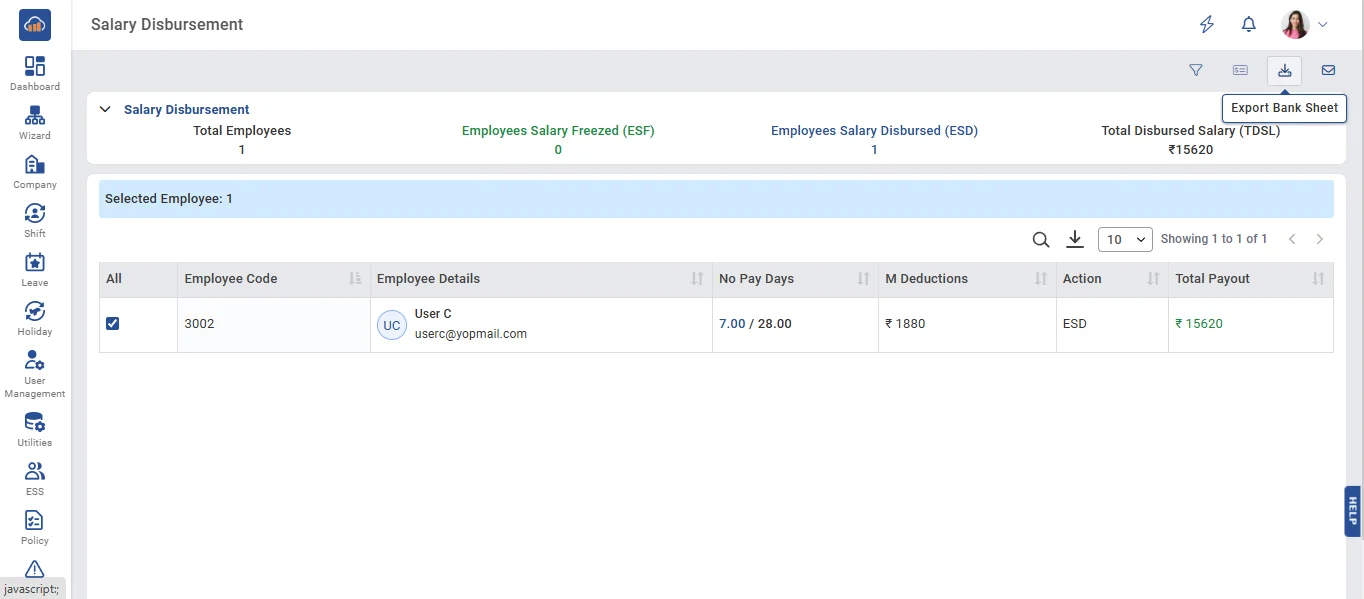
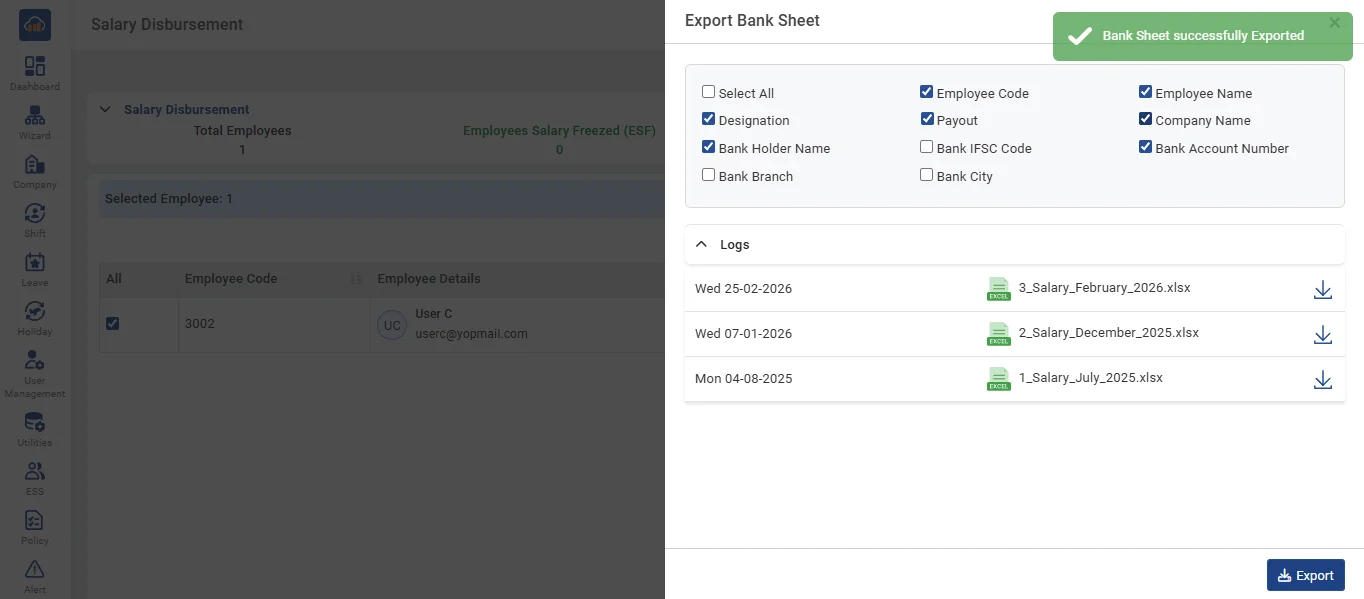
• Open the Export Bank Sheet modal and select the required checkboxes. Click the Export button to generate the bank sheet. Once generated, click the Download icon to download the bank sheet.
• After that, select the employee and click the Salary Notify button to open the modal.
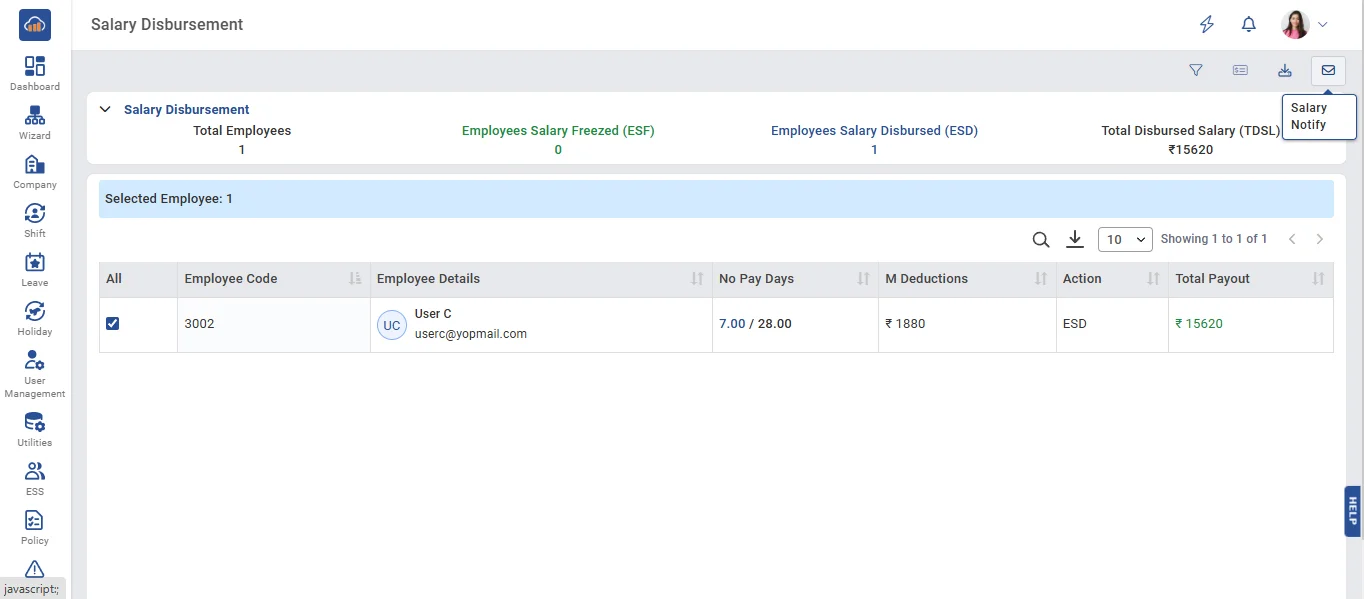
• click the Salary Notify button to send the salary slip notification to the employee successfully.