• Salary Heads refer to the various components listed on an employee's salary slip. For Example - Basic Salary, House Rent Allowance (HRA), and others.
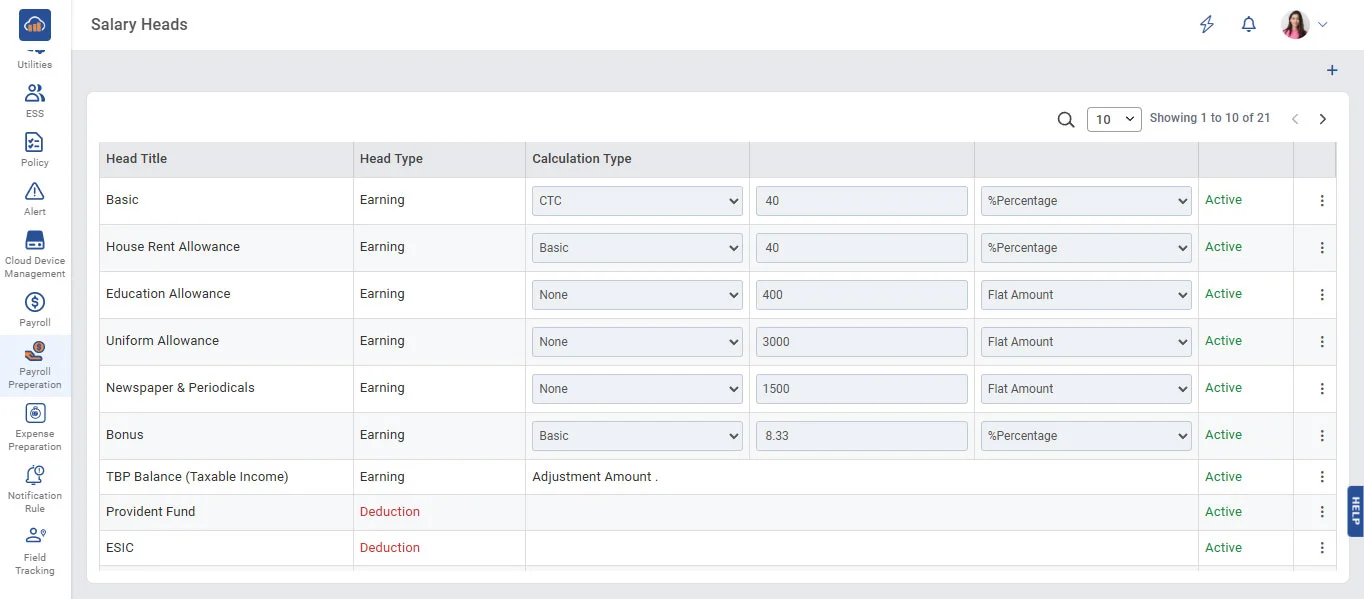
• Click on the + Create New Head button to create a new Salary Head.
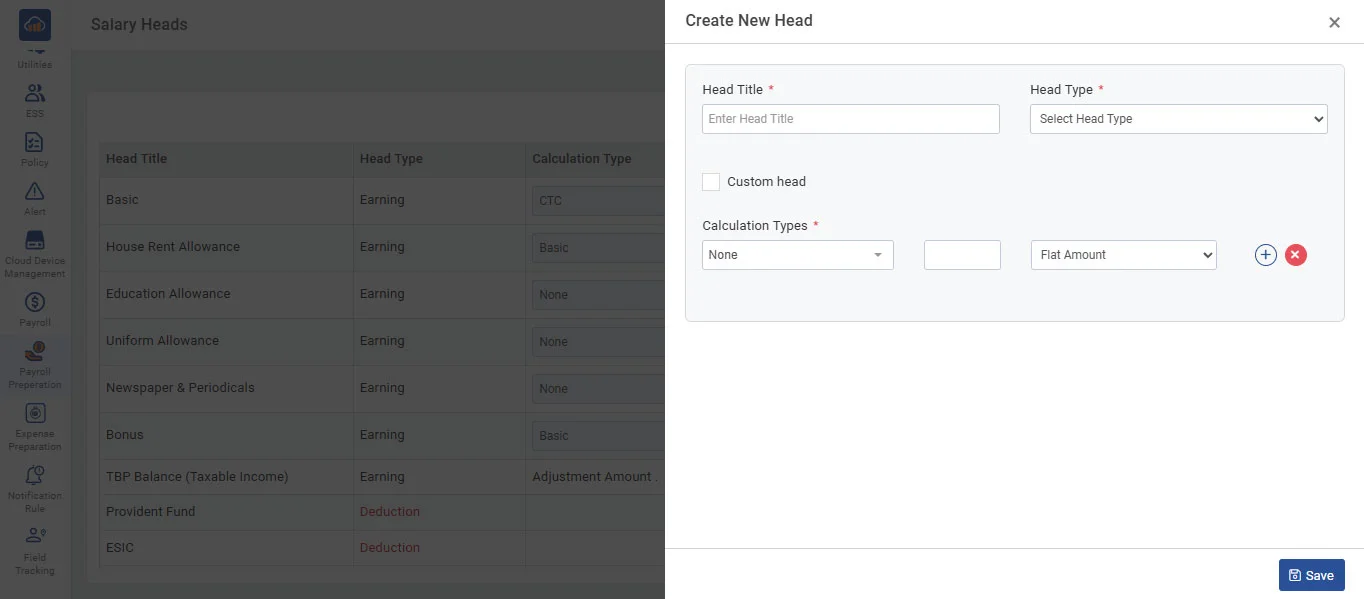
• Enter the Head Name, Head Type, and if the Calculation Type is not required, select the 'Custom Head' checkbox. If the Calculation Type is required, do not select the 'Custom Head' checkbox, and fill in the Calculation Type details. Finally, click the 'Save' button to save the data.
• Click the 'Edit' button when you want to update the data of salary heads and Enter the details you want to update and click the 'Save' button.