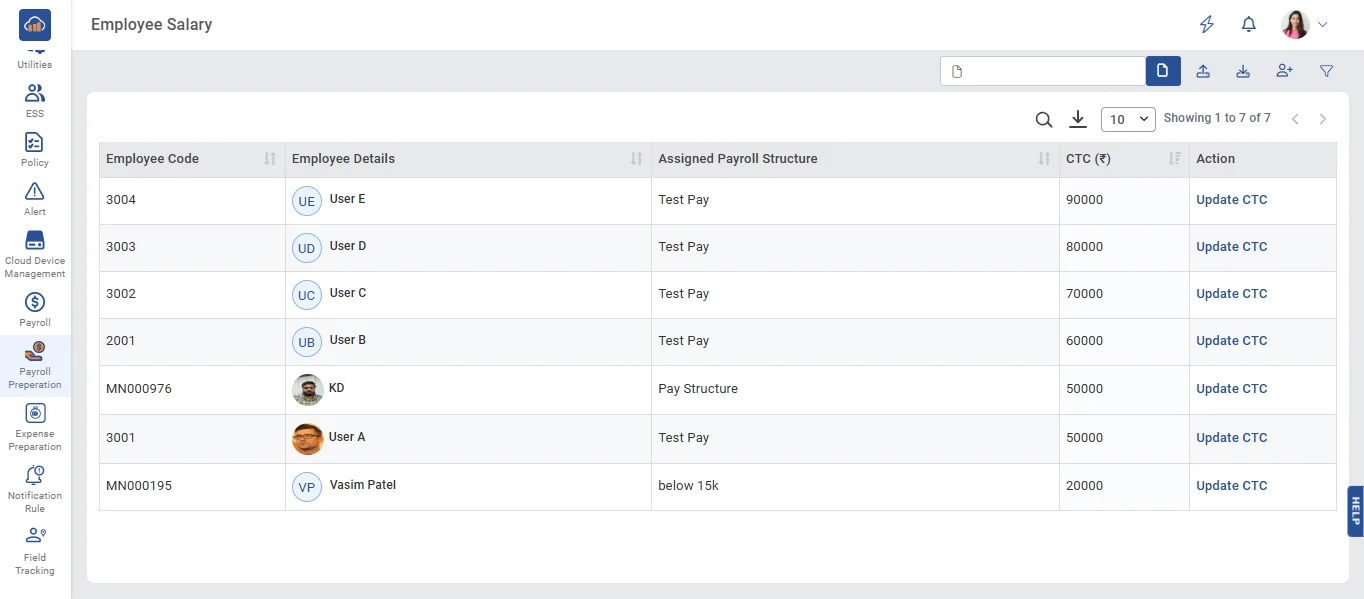
• On the Employee Salary page, once a pay structure is assigned to an employee, only that employee will be displayed.
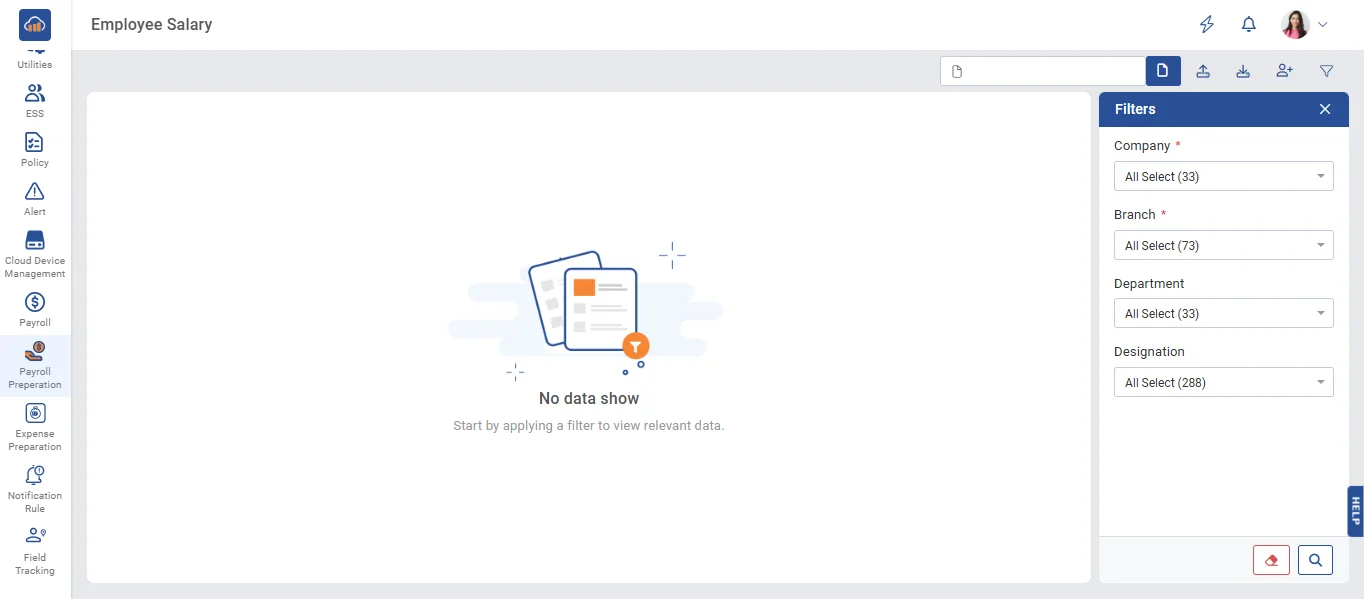
• On the Employee Salary page, click filter and select the Company, Branch, and Department from the dropdowns, then click the Search filter.
• On the Employee Salary page, click the 'Update CTC' link to update the CTC and view the breakup details.
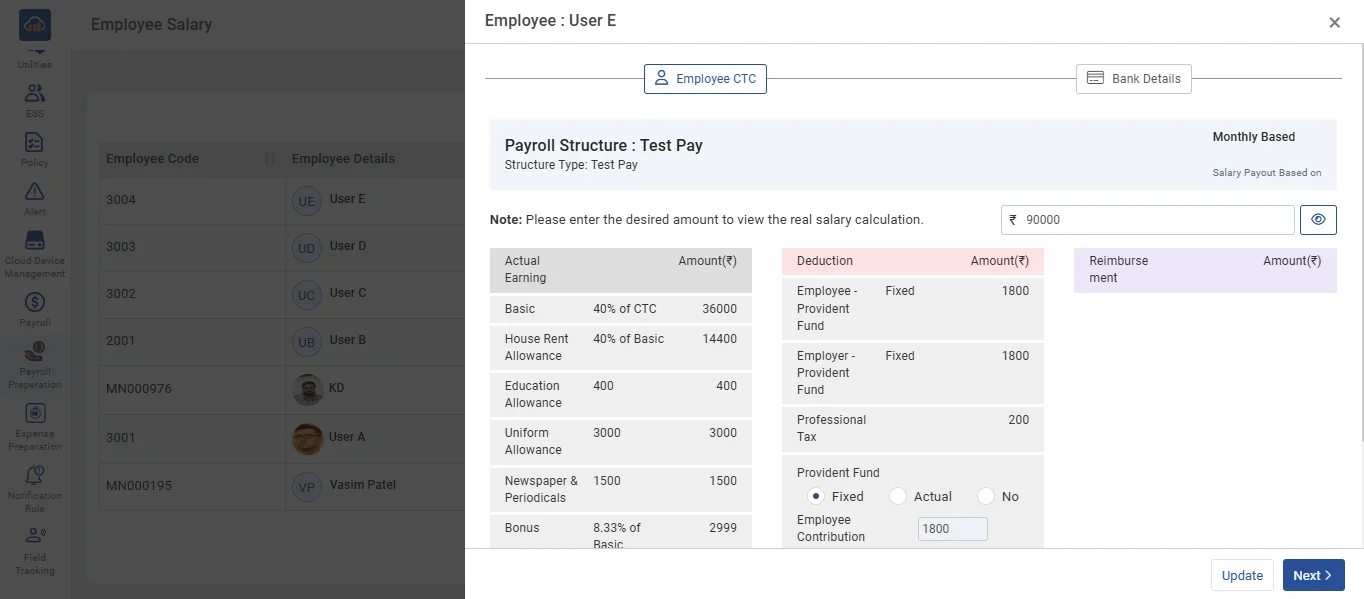
• On the Employee Salary Edit page, enter the CTC and click the 'View' button to see the salary breakup details. If the user wants to update the data without going to the Bank Details menu, click the 'Update' button.
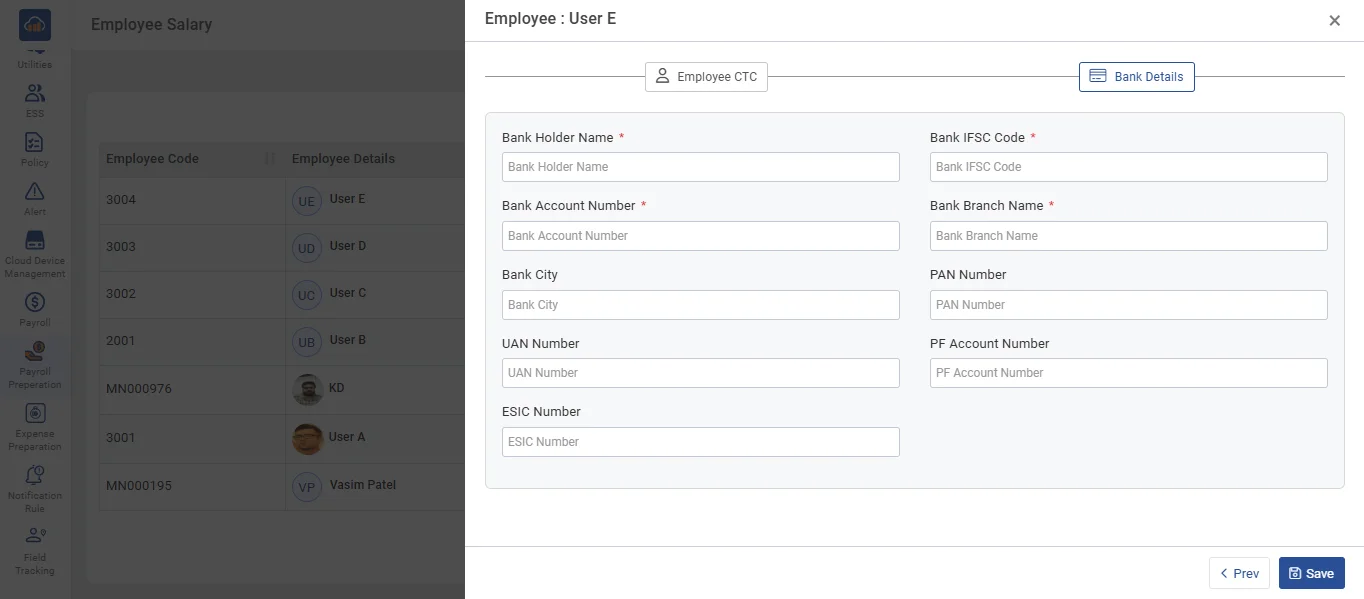
• If the user wants to go to the Bank Details menu, click the 'Next' button and Enter the bank details, then click the 'Update' button