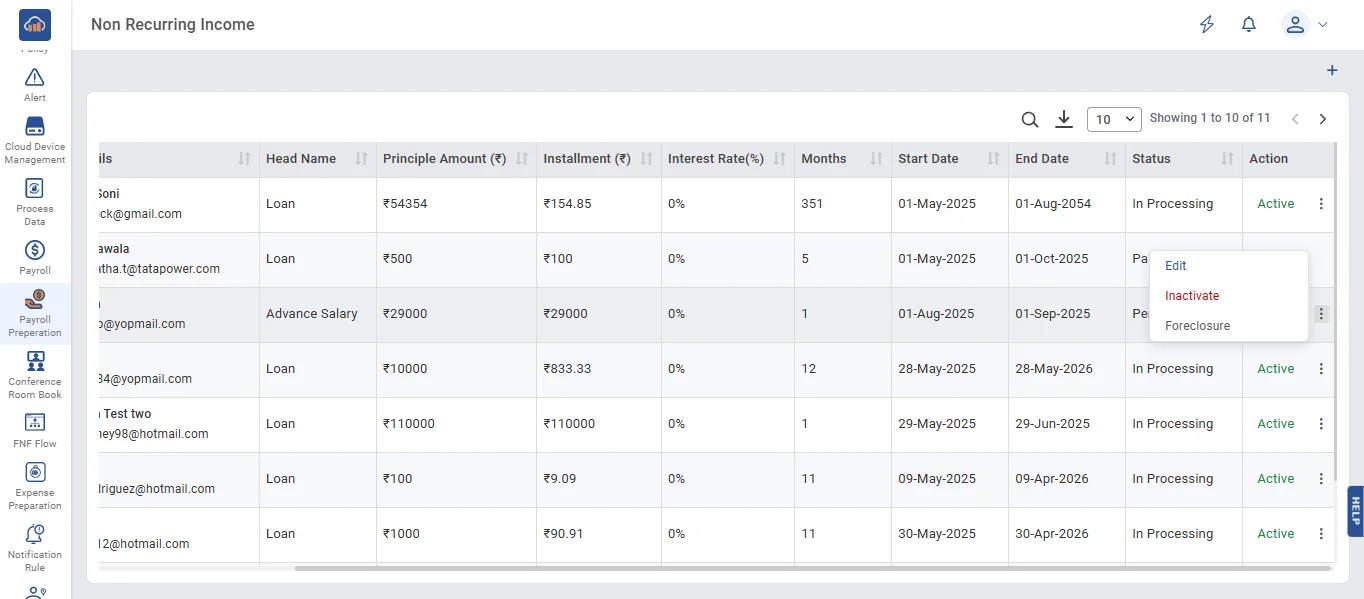
• Non-Recurring Income refers to any amount, such as a loan or bonus for an employee, for which a request can be created by following the steps below.
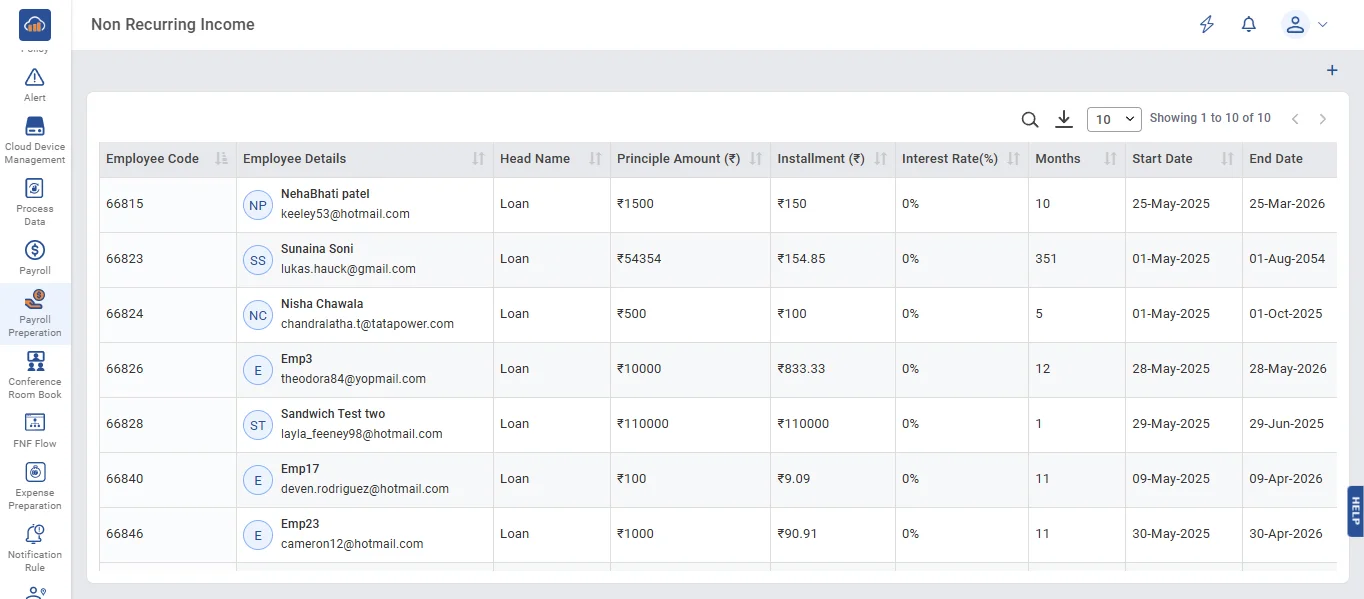
• Click on '+ Add' button to create a Non-Recurring Income request.
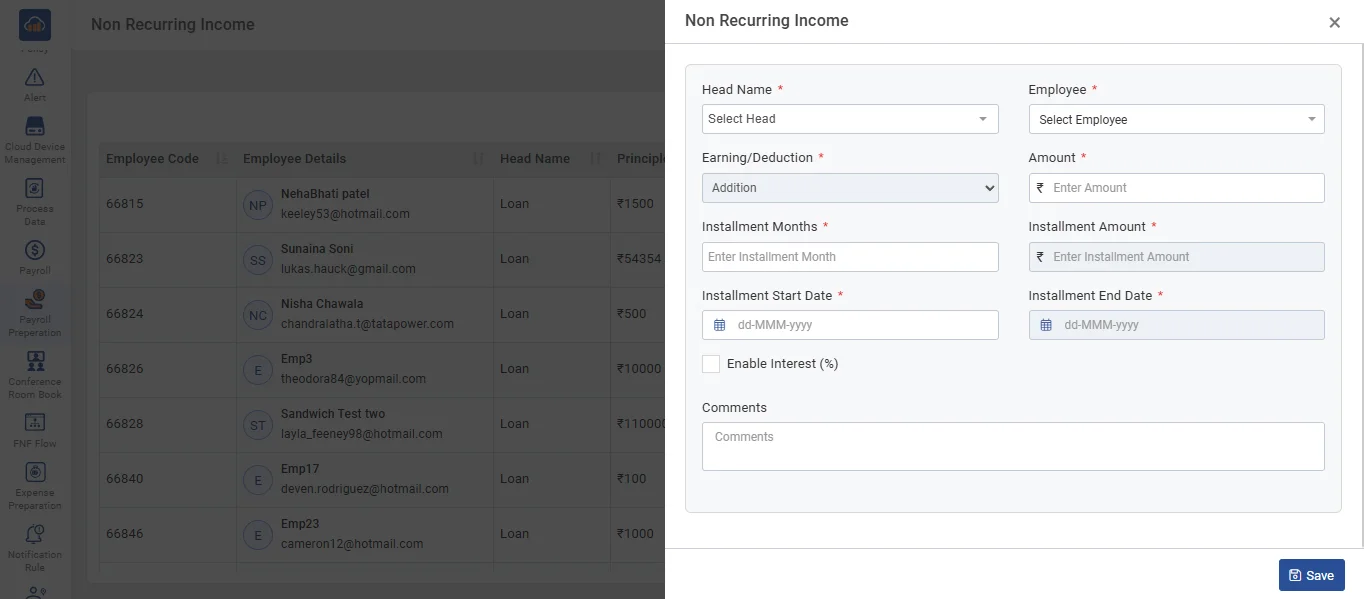
• On the Non-Recurring Income page, fill in all the details. If the user does not want to enable the "Enable Interest" checkbox, click the 'Save' button to save the data.
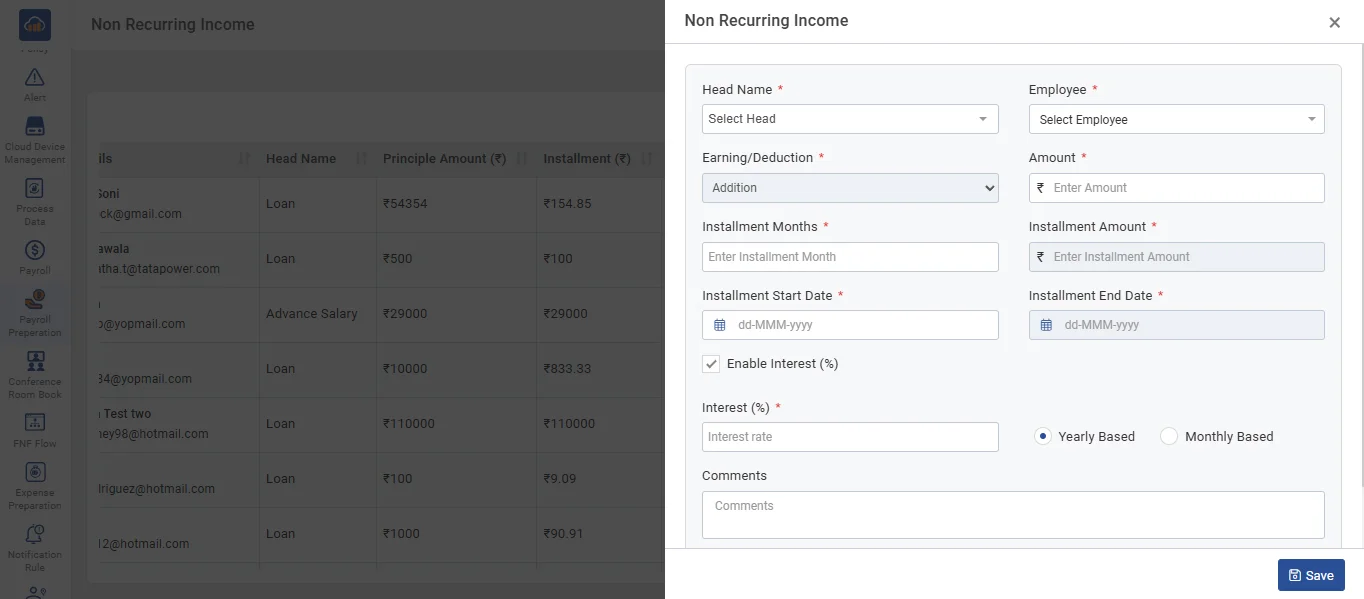
• On the Non-Recurring Income page, fill in all the details. If the user wants to enable the "Enable Interest" checkbox, check the checkbox, enter the interest rate, select either Yearly or Monthly basis, and then click the 'Save' button to save the data.
• Click the 'Edit' button to update the data, if required. The Non-Recurring Income edit page will open. Fill in the updated details, then click the 'Update' button.
• Click the 'Inactivate' button to mark the Non-Recurring Income request for the particular employee as inactive.
• Click the 'Inactivate' button after show the Click the 'Activate' button to make the Non-Recurring Income request for the particular employee active.
• When the 'Foreclosure' button is clicked, a confirmation popup with 'Yes' and 'No' options will appear. If you click 'Yes,' the status column will be updated to 'Paid Up,' indicating that the employee's loan will no longer be deducted from their salary, as it has been paid manually