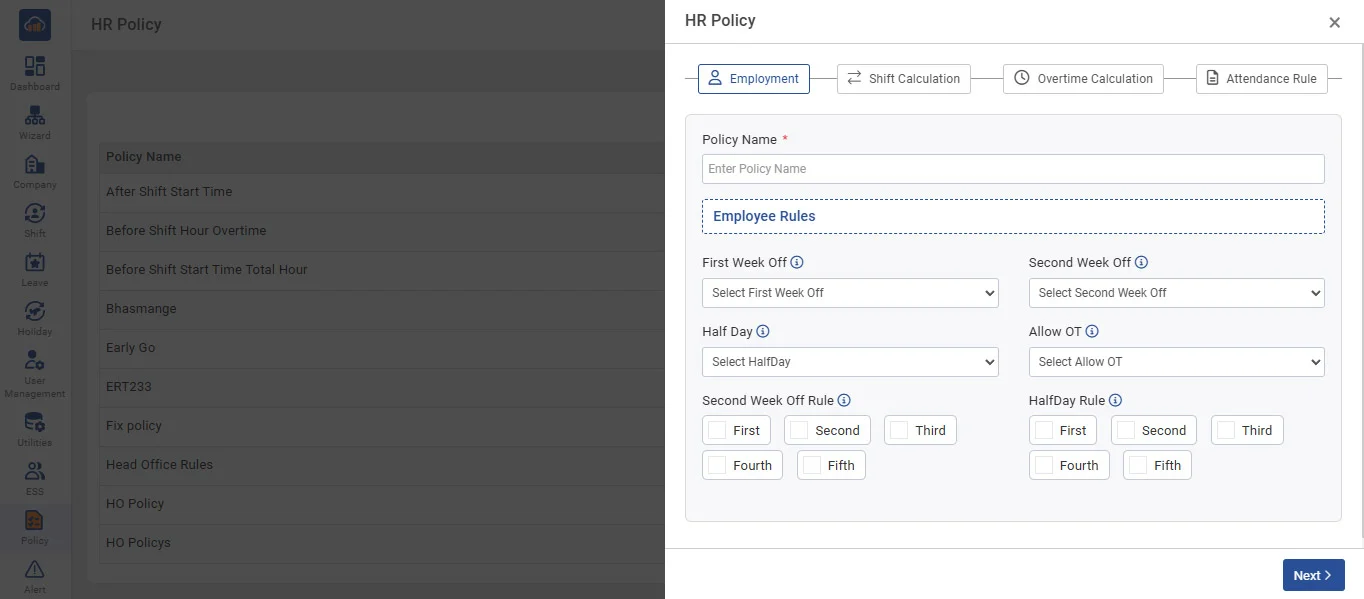
User can set attendance parameters and attendance related rules by creating Policy.
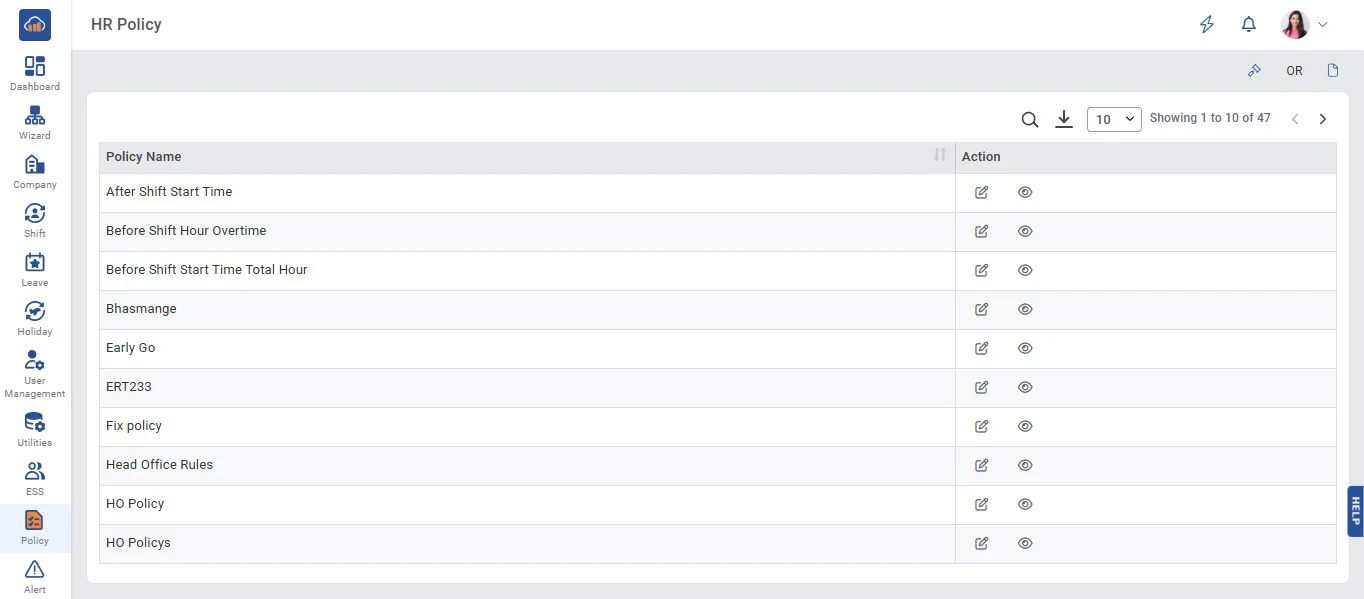
➤ HR Policy
➤ Attendance Parameters
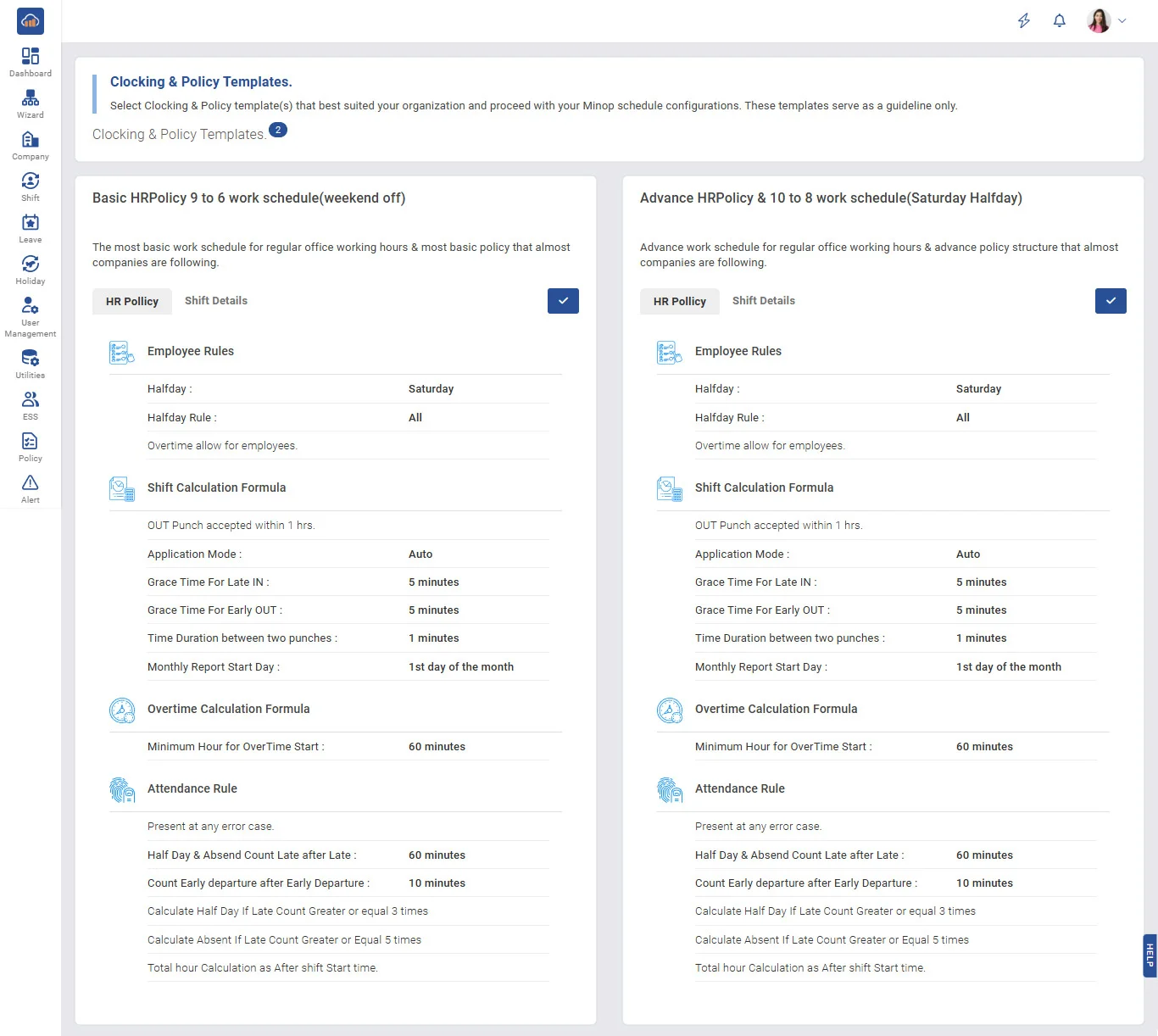
User can Add new Policy by clicking on User Template button
1. Out Punch Accepted within - To assign maximum working hours limit.
2. Time Duration between Two Punches - Allowed second punch as per the assigned time for particular employee.
e.g. - If you have set 1 minute
First punch: - 10:20:15 AM
Second punch: - 10:20:20 AM
Third punch: - 10:22:00 AM
Than only first and third punches will be considered and the second punch will be discard.
3. Gracetime for Late IN - if you assign 15 minutes and an employee comes after 15 minutes of Shift Start Time, then they will be considered as a late comers.
4. Grace time for early out - if we assign 15 minutes and an employee goes early 15 minutes of Shift End Time, then they will be considered as early goers.
5. Application mode :
• Fixed - You can set Device Terminal as IN or OUT Source.
• Manual - If you want IN or OUT key from machine then set Application mode to Manual.
• Auto - In Auto mode software will automatically calculate IN and OUT Time as par First IN First Out method. It will not consider IN or OUT key from machine.
➤ OT Parameters
• You can set minimum hours to calculate as OT hours. E.g., if you want OT hours to be calculated after completion of 30 minutes, then you can set it as per that.
• OT Hours can be calculated as
1. Working Hours - Shift Hours
2. Working Hours - Present Hours
3. After Shift End Time
4. Before Shift Start Time
• If you want to set Weekly Off Hours and Holiday Off Hours as OT Hours, then tick the option as shown in the above screen and also set the Minimum Hours for calculating OT.
• If Weekly Off and Holiday Off need to be set as 'Absent' for employees who are not present for the whole month, then tick the option as shown in the above screen.
(1) Present Rules
(a) Any Error Case: Status will be calculated as Present for all Error Case Punches.
(b) Calculate Half Day/Present: Status will be calculated as Present or Half Day based on Total Hours in Error Case Punches.
(2) Half Day Rules
(a) Late Count: After defining Late Count, status will be calculated as Half Day.
(b) Early Departure Count: After defining Early Departure Count, status will be calculated as Half Day.
(c) Late or Early Departure Count: After defining Late or Early Departure Count, status will be calculated as Half Day.
(3) Absent Rules
(a) Late Count: After defining Late Count, status will be calculated as Absent.
(b) Early Departure Count: After defining Early Departure Count, status will be calculated as Absent.
(c) Late or Early Departure Count: After defining Late or Early Departure Count, status will be calculated as Absent.
(4) Total Hours Rules
(a) After Shift Start Time: Total Hours will be calculated after Shift Start Time.
(b) Before Shift End Time: Total Hours will be calculated before Shift End Time.