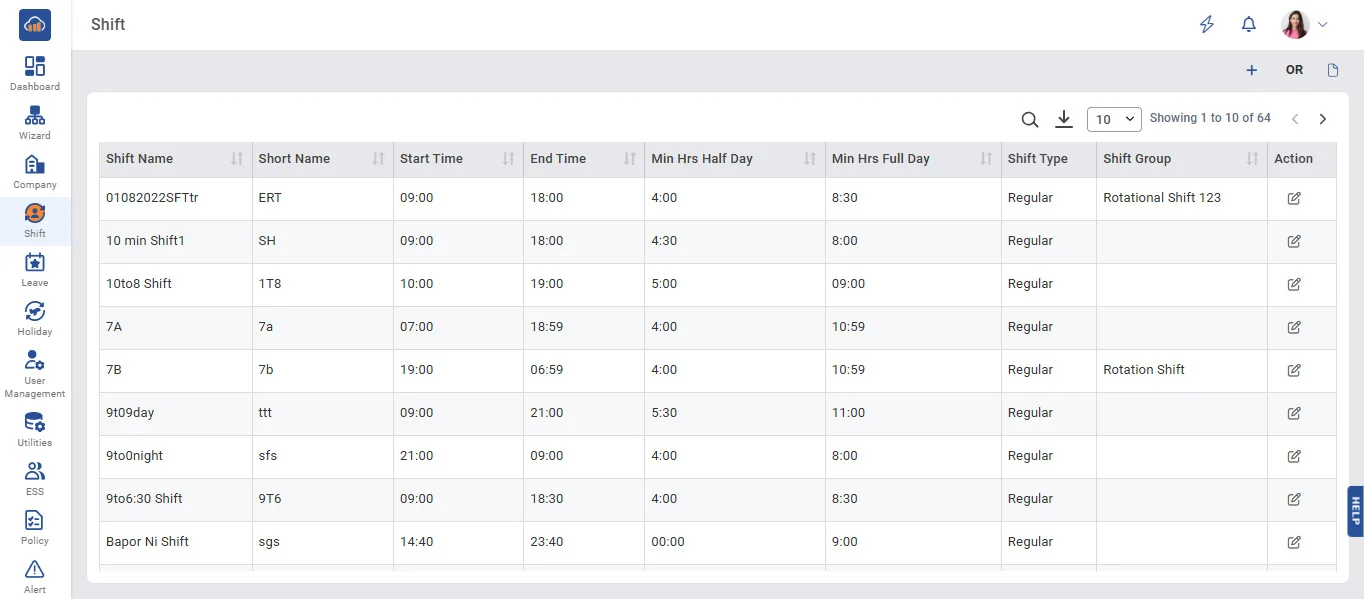
Above image shows view of shift master.
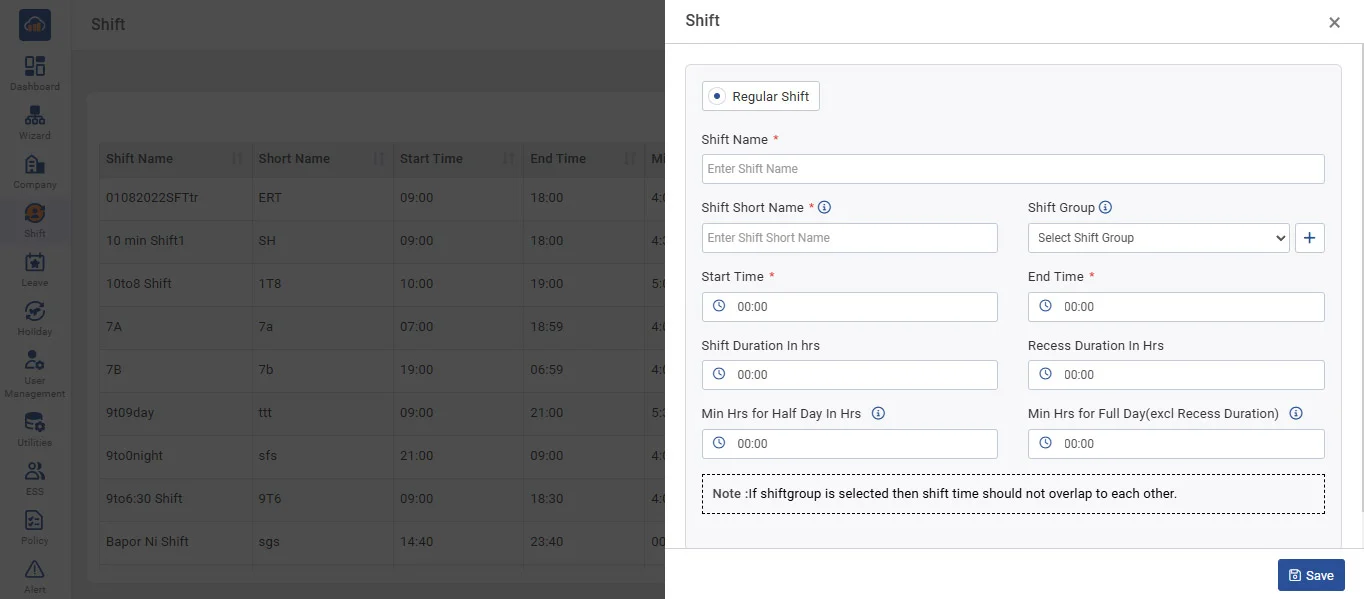
Above image show modal when you click on “+ Add Shift”
• Name : Name of Shift
• ShiftGroup : AssignShift to Shift Group (in Auto shift, assign Shift Group Employee)
• Time : Start Time and End Time of Shift (24-hour format)
• Duration : It will be automatically calculated based on ShiftStartTime and EndTime.
• Recess Duration : It will be deducted from Total Hours.
➤ Minimum Hours for Half Day :
• If the employee worked more than minimum hours for half day, then his/her Attendance will be counted as half day.
• If the employee worked less than minimum hours for half day, then his/her attendance will be counted as fewer hours.
• Recess Duration : It will be deducted from Total Hours.
➤ Minimum Hours for Full Day :
• If the employee worked more than 'Min. Hrs. for Half Day,' then his/her attendance will be counted as present.
• If the employee worked more than 'Min. Hrs. for Full Day,' then the working hours are more than 'Min Hrs. Full Day' will be considered OverStay (OS) if overtime in the hr policy is selected as yes.
• If the employee has worked less than 'Min. Hrs. for Full Day,' then the system will check if If the working hours are greater than 'Min Hrs. for Half Day,' then the final status will be HD.