On login, if it's a new account (first-time login), redirect the user to the System Settings Wizard page; otherwise, redirect existing users to the Admin Panel Dashboard.
System setting wizard will shoe following option choose that best suits your requirement.
'*' this sign show that field is mandatory you need to enter those field in order to move to the next page.
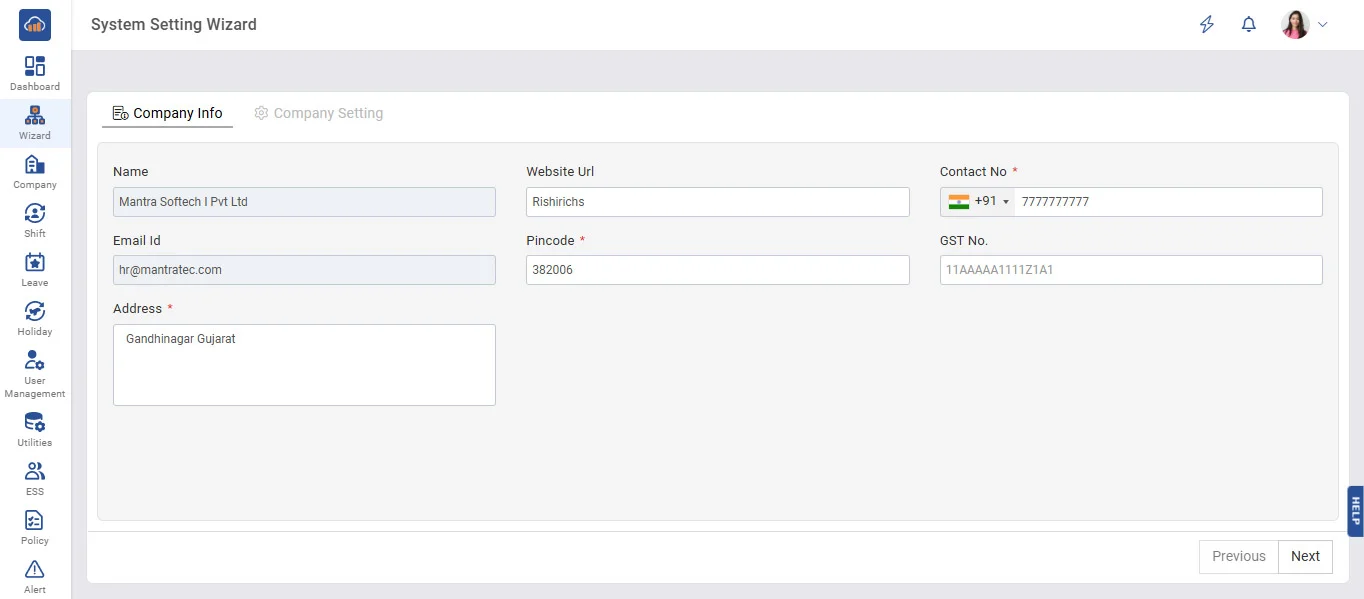
Fill all details and then click on next.
After clicking in next button next page will be of company setting here there are different option like Designation, Religion, Holiday, Leave, Etc...
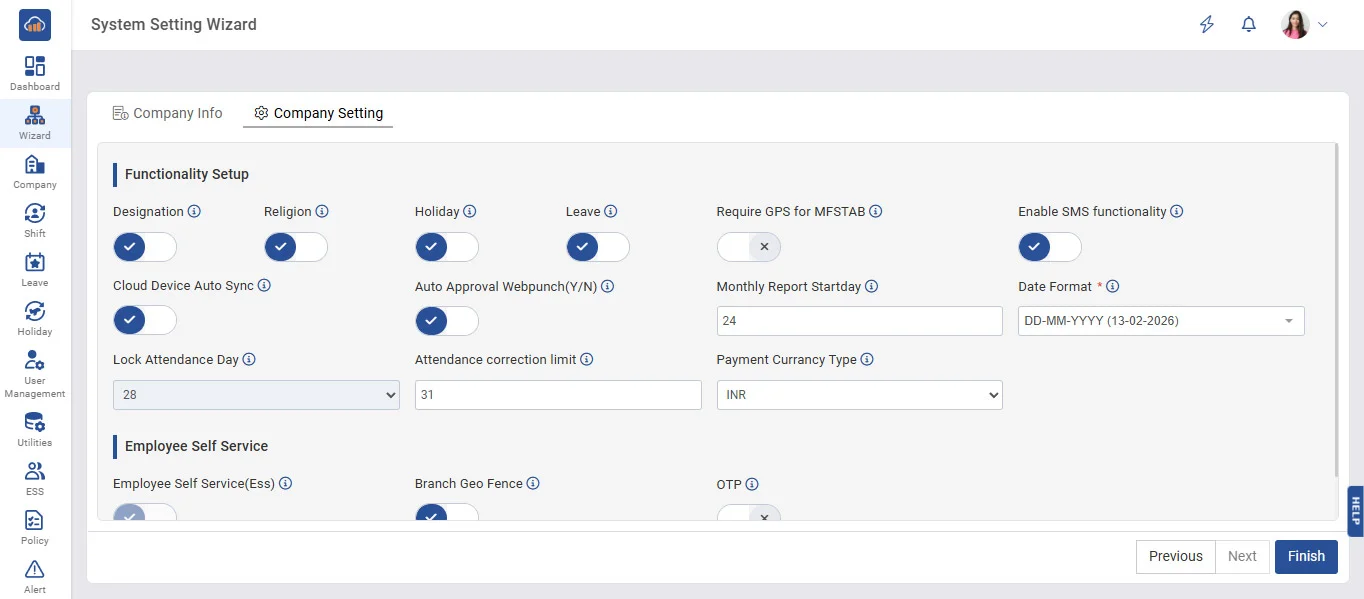
Turning on/off button make huge difference like if you want designation to be added and shown in your account you can turn it on and if you don't want then you can turn it off it won't be seen in that particular entire account you may change this setting later on as per requirement. Same thing goes for all other options.
Select appropriate company settings and click on finish that's all for system setting wizard. after clicking on finish button you will be redirected to Restore Database page.
NOTE: Multiple date format will be available for Elite and Premium plans only