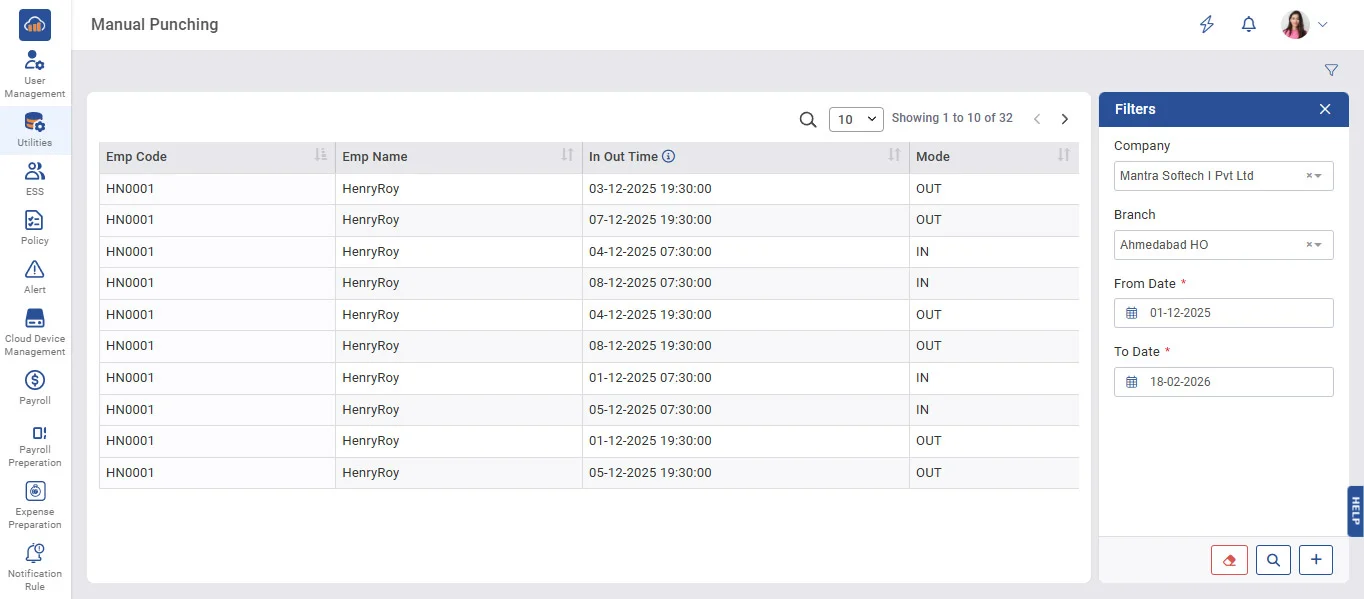
Above image shows view of manual punch.
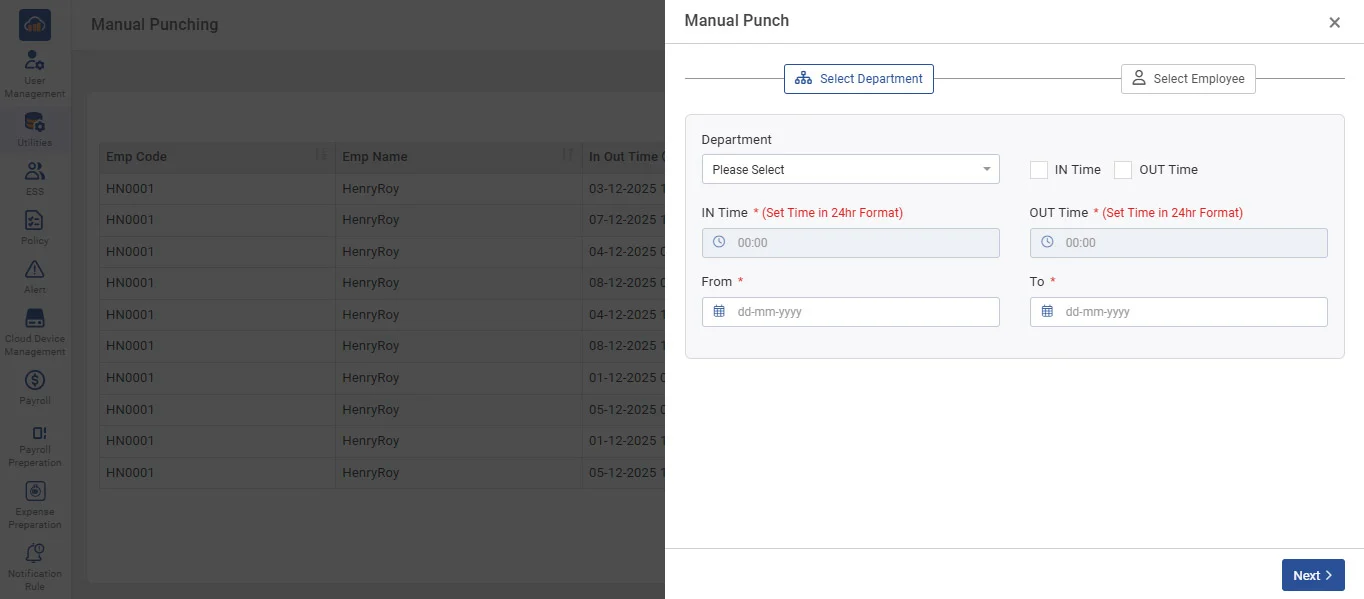
The above image shows an example of selecting the Department tab to add a manual punch.
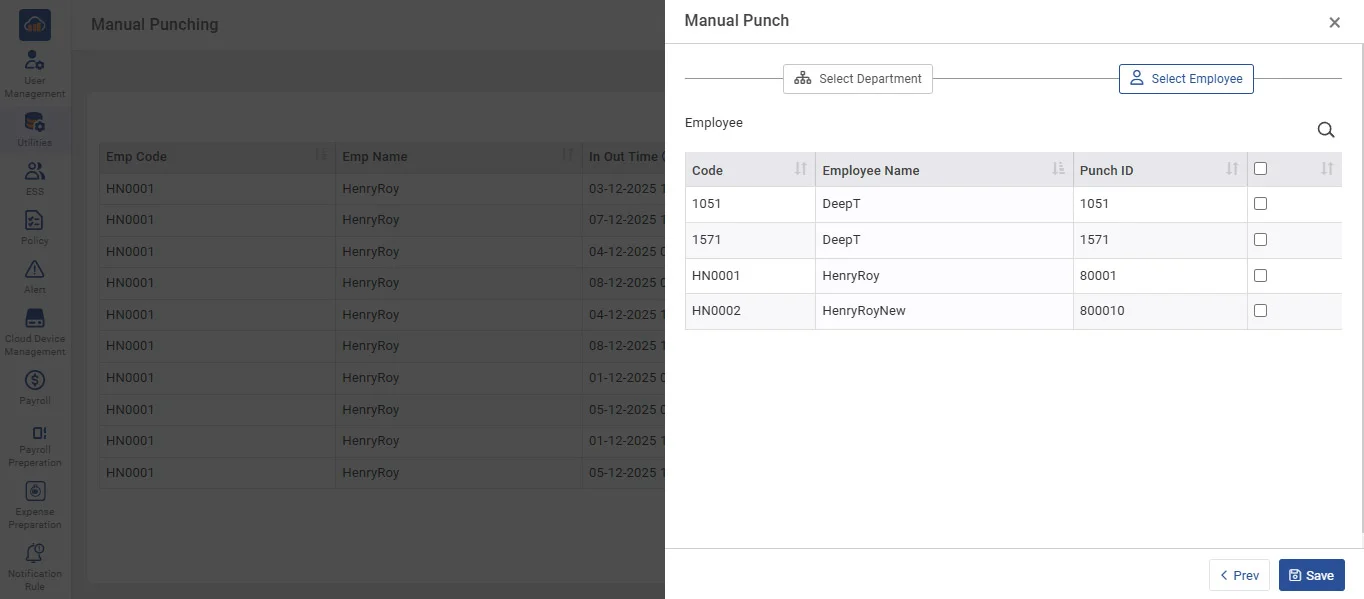
The above image shows an example of selecting the Employee tab to add a manual punch.
• Manual entries of attendance with IN-OUT timing and attendance date can be entered by selecting the manual punching option in the Utilities menu.
• To save manual entry, select Employee from list, mode of IN-OUT, and IN-OUT timing with date to do manual punching, then click on the 'Save' button.
• It is very useful in case of an employee forgot to punch in device terminal.