➤ Custom Form
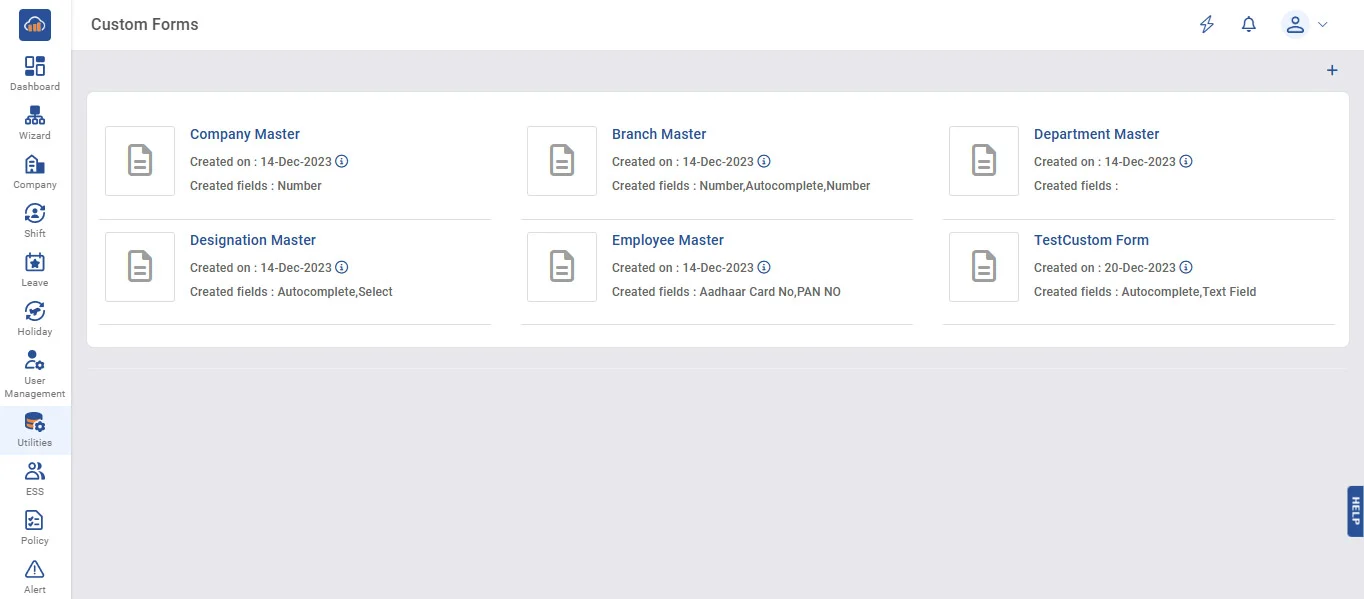
Custom Form from menu in utilities - Default Custom form list
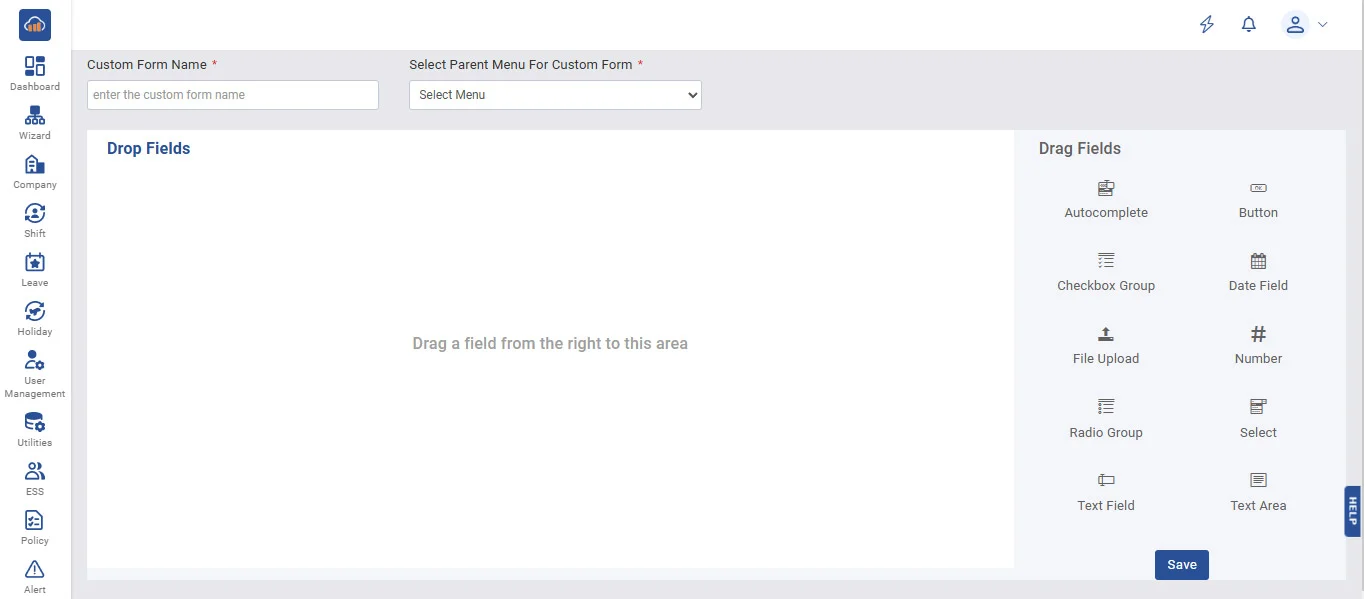
Create New Custom form with various controls by clicking on Create New Form
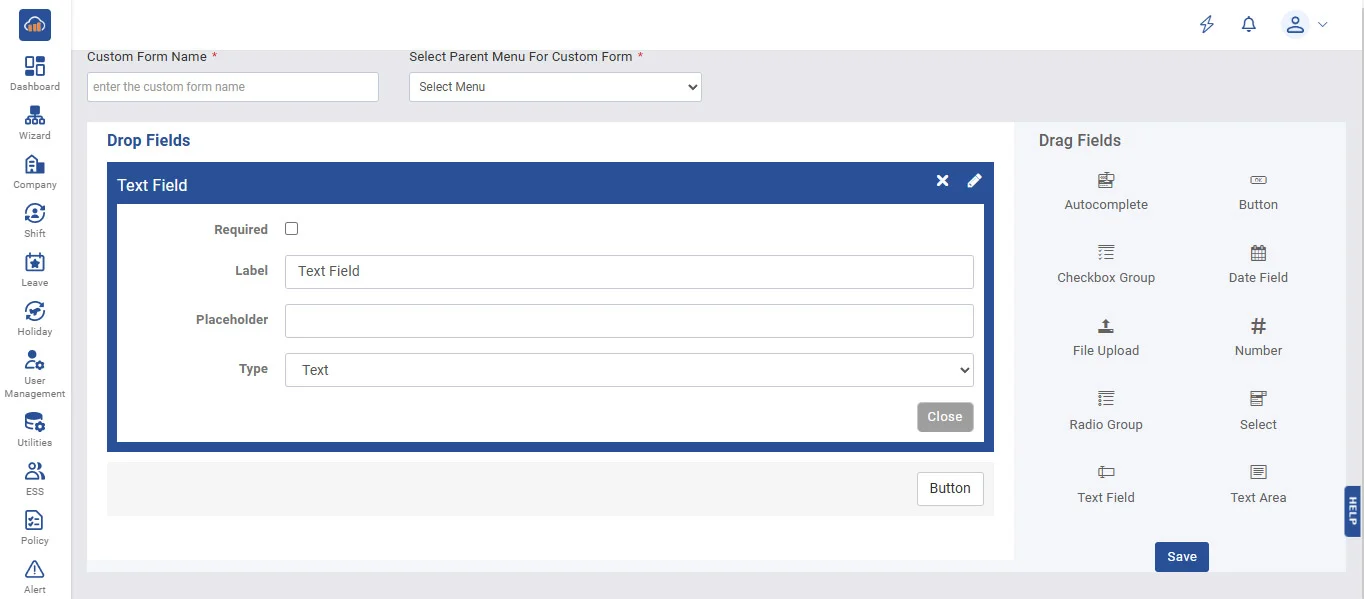
Form creating by using several different options to write your required Information.
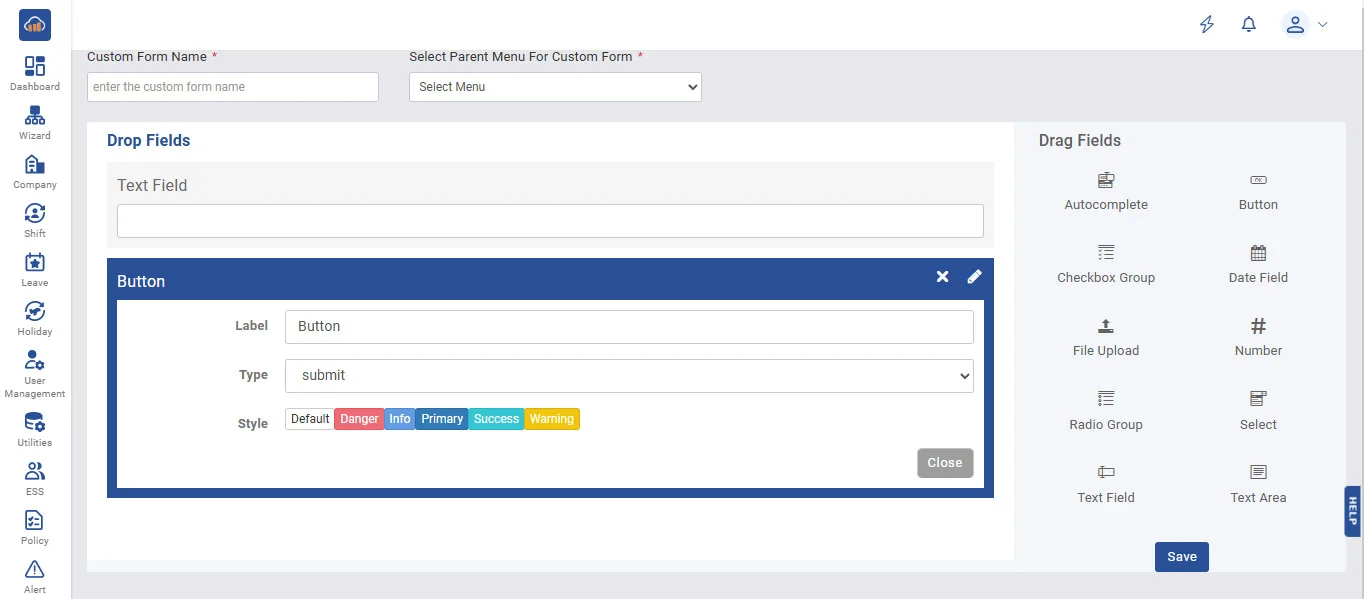
Can add Any custom Form in any Parent Menu Ex. Dashboard, Company etc
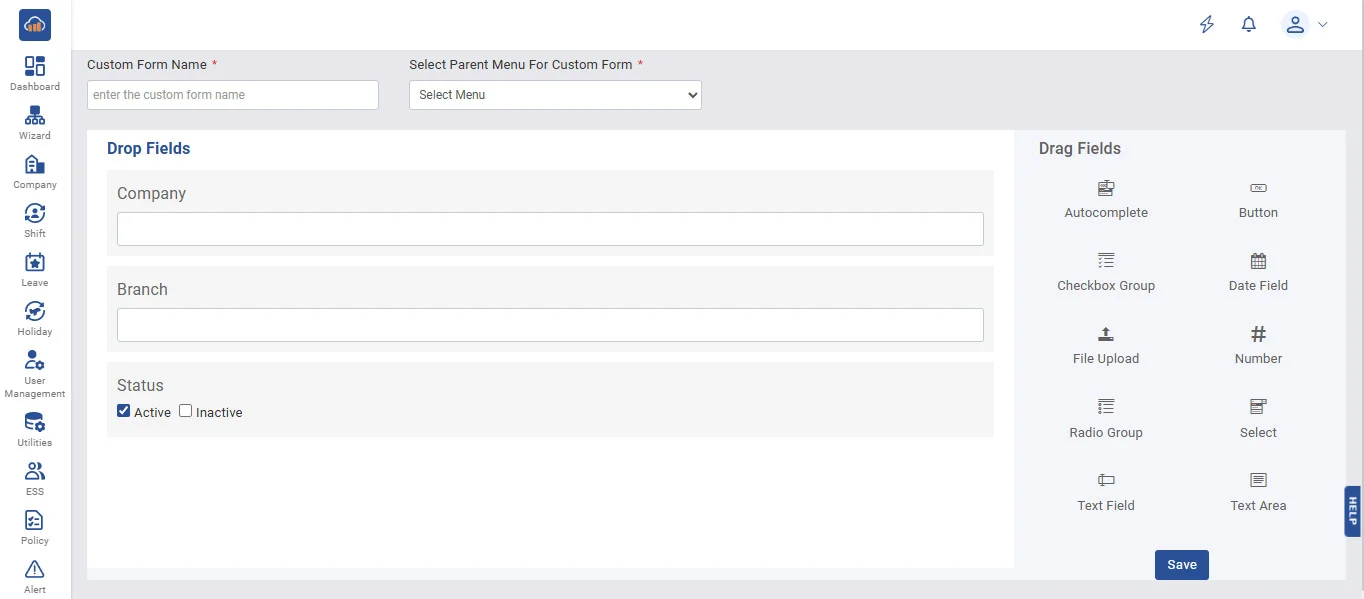
Can add multiple fields in our Custom form as per our requirement.
New form created with name “custom Page” with required fields list
➤ Custom Field
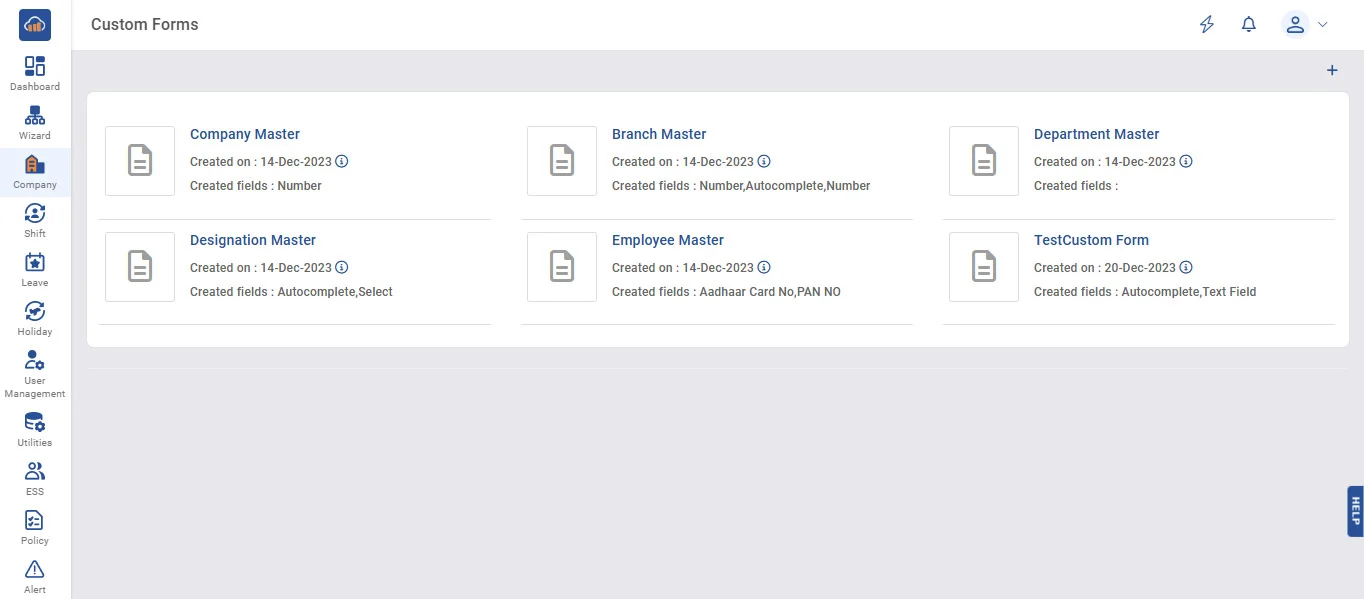
Custom field in Master page list ex. Can add field of our choice in any Master page of our Choice.
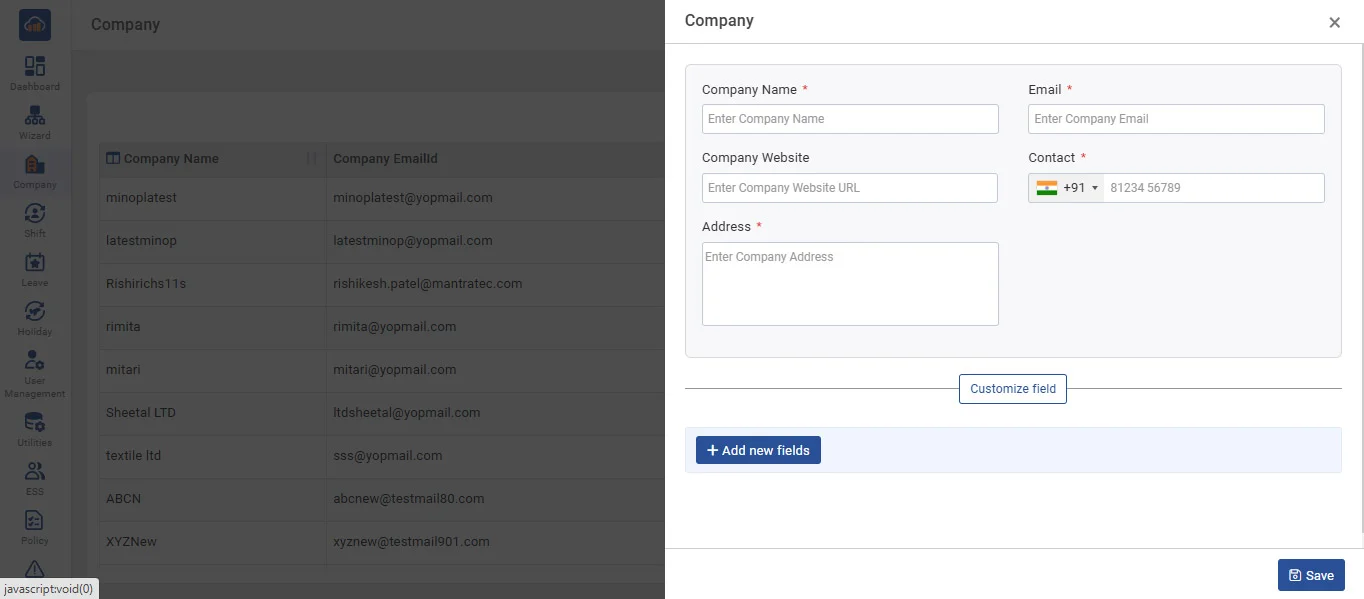
Company master with add filed option and this filed will added to company master menu.
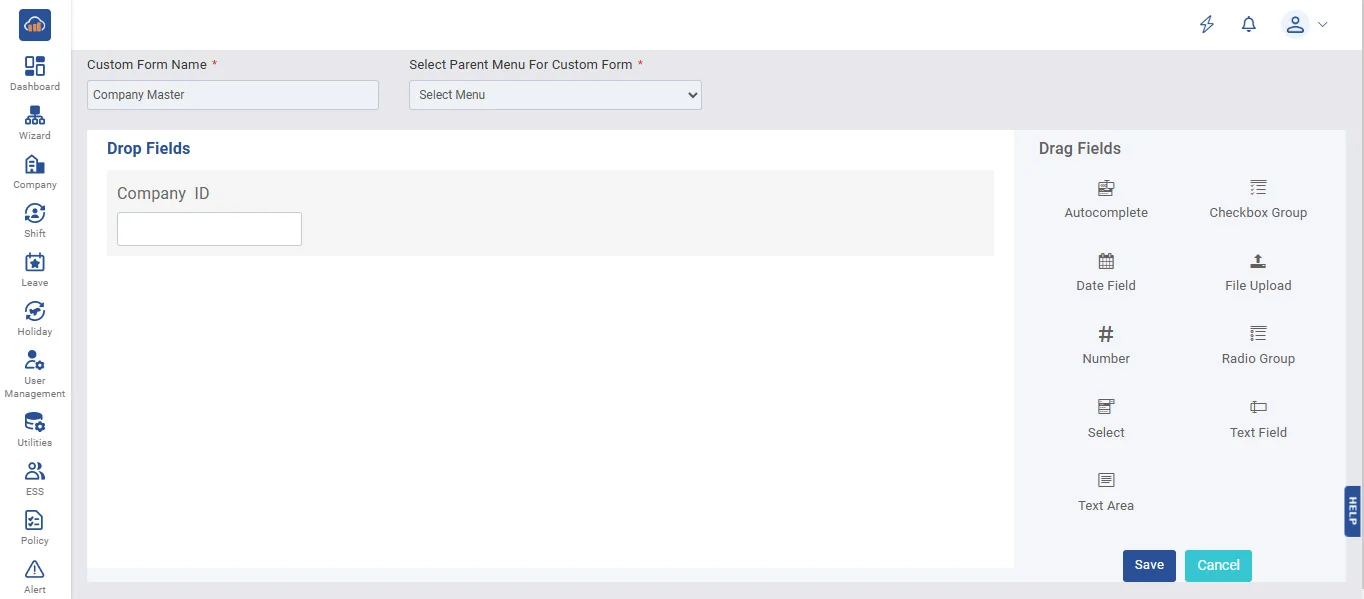
We can add Field As per our requirement. Ex. Company ID.
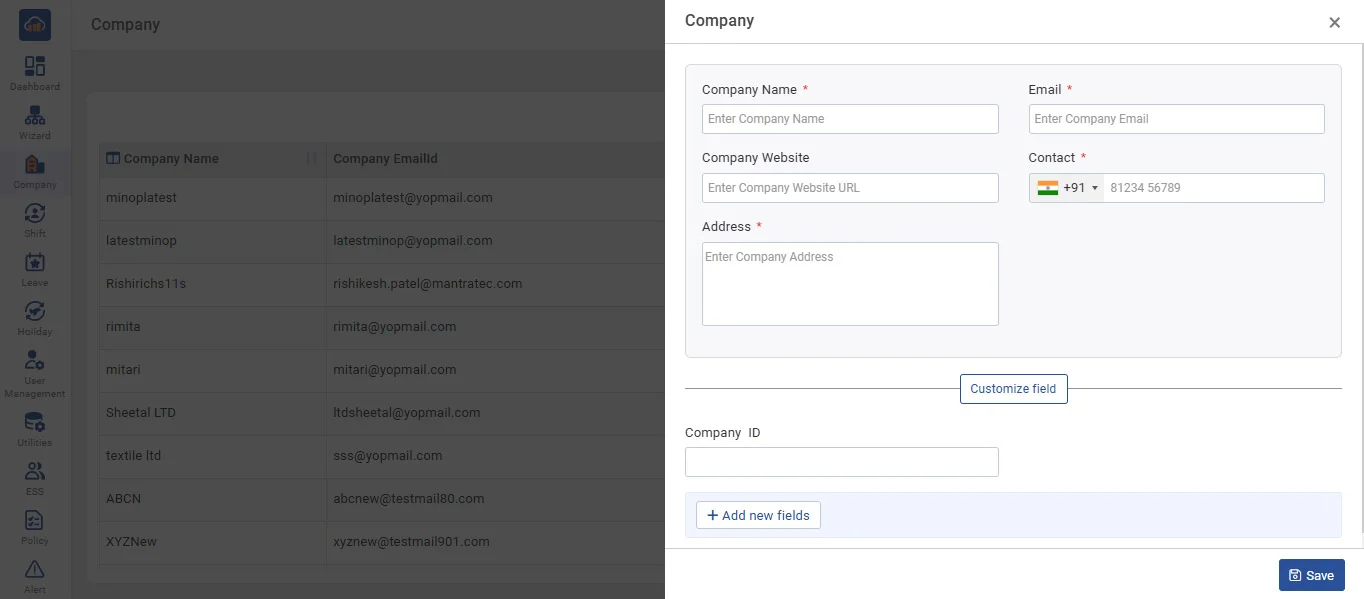
Custom field named as “Company ID” is showing at company master entry
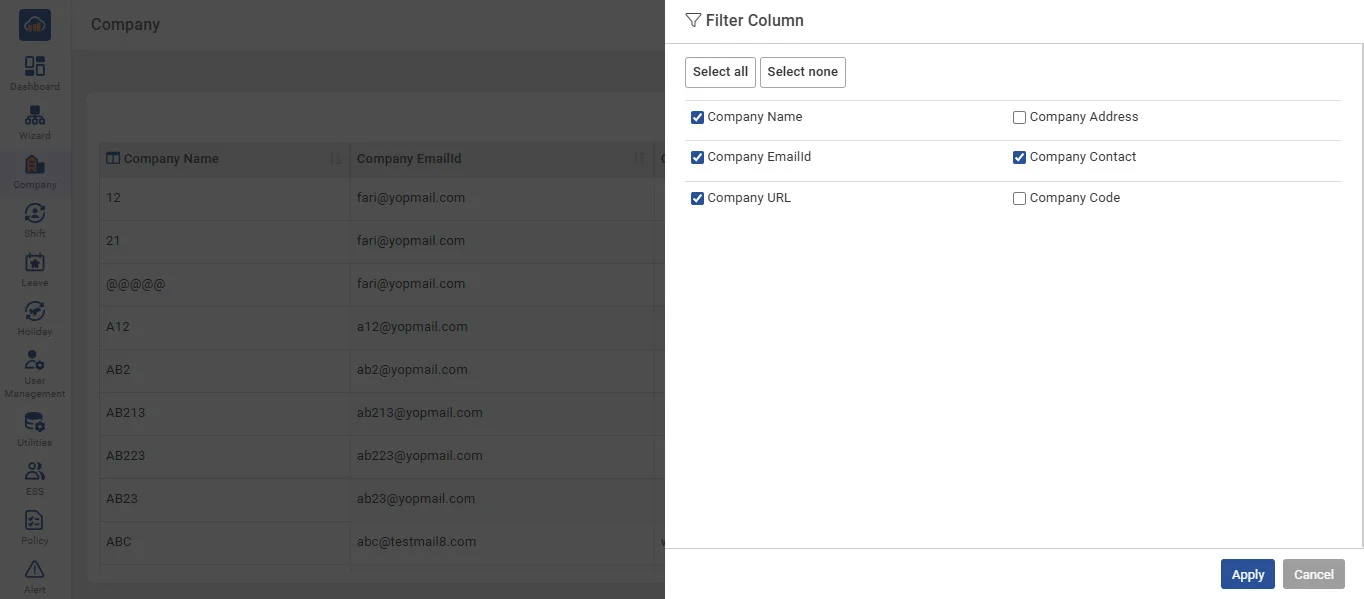
Master pages header selection settings option for data displayed of our choice and requirement only.
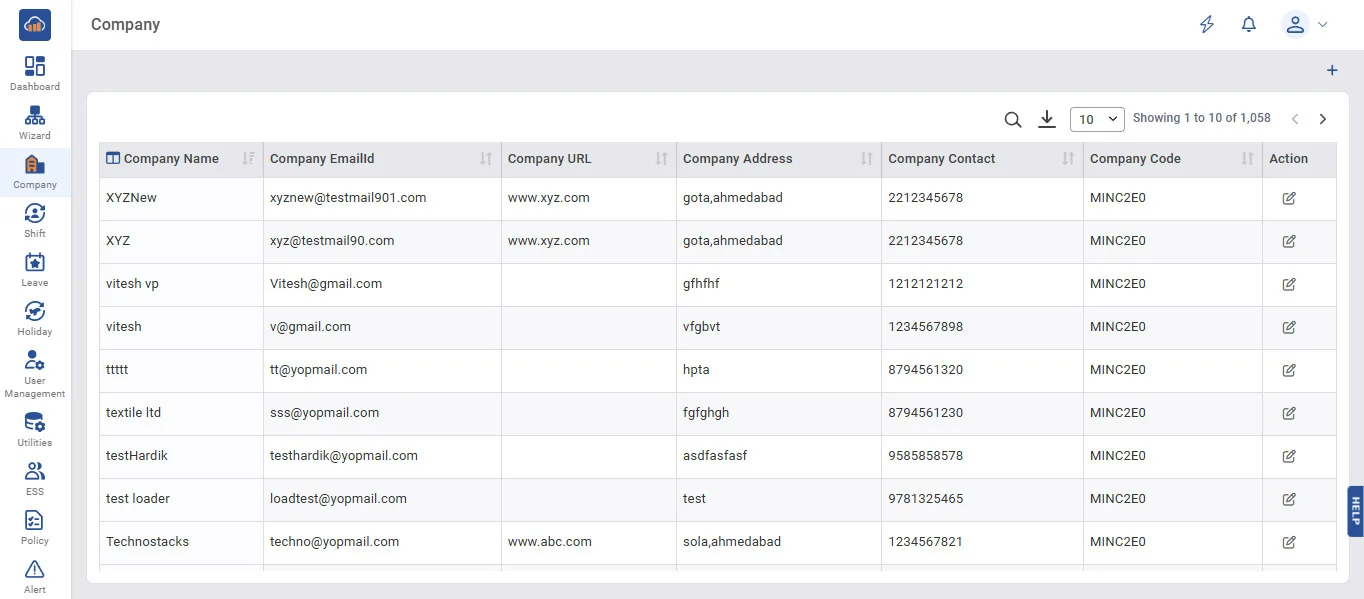
After selecting Header selection data will be displayed as per our Header selection Setting only.